
Ozark, AL · Dale County
Employment Application and Release Waiver
This six-page packet includes an employment application and a notarized authorization to release information for people applying for jobs with the City of Ozark.
- licensed online notary
- ~15 min average
- Notarized PDF emailed
What you’ll need
- Government-issued photo ID
- Webcam-enabled device (laptop or phone)
- This form, ready to upload as a PDF
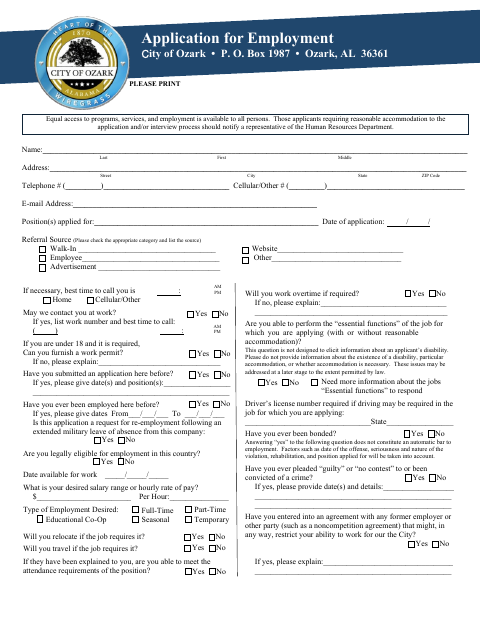
What this form is
Use this packet to apply for City of Ozark employment and provide details about your work history, education, references, and qualifications. It also includes a waiver authorizing the release of information for the city’s employment review; the applicant must sign that waiver before a notary. The packet includes a separate substance abuse policy acknowledgment that calls for a witness, not a notary.
Who needs it
People applying for a City of Ozark job need this packet and must have the waiver’s applicant signature notarized before submitting it.
Why it needs a notary
The waiver has a “Subscribed before me” notarial acknowledgment; the applicant signs the waiver in the notary’s presence.
How to get this notarized
- 1
Download the Packet
Download the City of Ozark employment application and release waiver packet.
- 2
Complete the Application
Fill in the application and waiver details, leaving the waiver signature blank until the notary appointment.
- 3
Book an Online Notary
Schedule an online notary appointment for the waiver’s acknowledgment.
- 4
Sign on Video
Show identification and sign the waiver in the commissioned online notary’s presence during the video session.
- 5
Submit to the City
Return the completed packet to the City of Ozark using its stated submission instructions.
Preview the form
The blank PDF straight from Ozark. Look it over, then upload your filled copy to start the notary session.

You’ll need ID and a webcam.
A licensed online notary will join you on video, verify your government-issued ID, witness your signature, and apply their seal. You’ll receive the notarized PDF by email when the session ends.
Frequently asked questions
- How do I complete the notarized waiver?
- Fill out the application and waiver, but leave the waiver signature blank until your online notary appointment. Sign it in the notary’s presence, then submit the completed packet to the city.
- Do I need to notarize the entire employment application?
- No. The notarial acknowledgment is on the waiver and authorization to release information. The separate substance abuse policy acknowledgment calls for a witness.
- Can I sign the waiver with a commissioned online notary?
- The form requires the applicant to sign before a notary. Alabama gives an out-of-state acknowledgment the same effect as one taken in Alabama when it follows the law where it was taken and bears the officer’s official seal.
- Where do I submit the completed packet?
- The form identifies the City of Ozark and provides its mailing address: Post Office Box 1987, Ozark, Alabama 36361. Confirm with the city if unsure.