
Trussville, AL · Jefferson County
Alcohol Application
This 10-page application is for businesses and organizations seeking a City of Trussville alcohol license; the applicant completes it and files it with the City Clerk with supporting documents and the processing fee.
- licensed online notary
- ~15 min average
- Notarized PDF emailed
What you’ll need
- Government-issued photo ID
- Webcam-enabled device (laptop or phone)
- This form, ready to upload as a PDF
What this form is
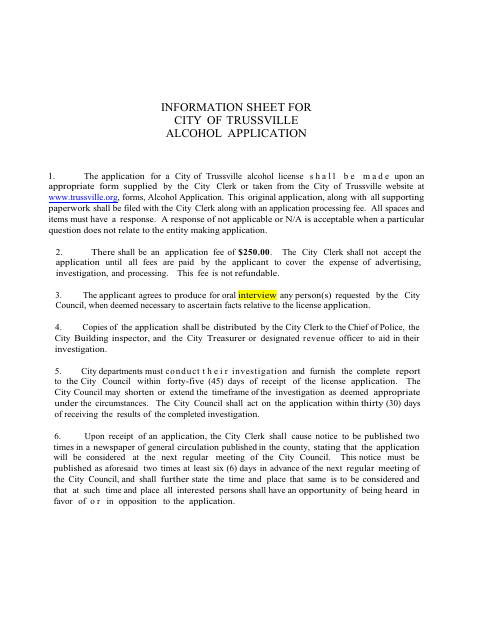
The application collects business, applicant, ownership, management, and premises details, along with statements about financial interests and prior license applications. Trussville requires the original completed application, supporting paperwork, and a nonrefundable $250 processing fee to be filed with the City Clerk; all questions must be answered, using “N/A” when a question does not apply. Additional materials may be required for particular license types or circumstances.
Who needs it
A business or organization applying for a Trussville alcohol license must complete this form and submit it with the required supporting documents and processing fee.
Why it needs a notary
The applicant signs the certification before a notary, who completes the “Subscribed and sworn before me” jurat and enters the commission expiration date.
How to get this notarized
- 1
Download The Application
Get the City of Trussville Alcohol Application and review the information sheet and requested attachments.
- 2
Complete The Form
Answer every item, using “N/A” when a question does not apply, and gather required supporting paperwork.
- 3
Book An Online Notary
Schedule a session with a commissioned online notary to notarize the applicant certification.
- 4
Sign On Video
Sign the certification during the online notarization session; the notary completes the jurat.
- 5
Submit To The City
File the original application, supporting paperwork, and processing fee with the City Clerk.
Preview the form
The blank PDF straight from Trussville. Look it over, then upload your filled copy to start the notary session.

You’ll need ID and a webcam.
A licensed online notary will join you on video, verify your government-issued ID, witness your signature, and apply their seal. You’ll receive the notarized PDF by email when the session ends.
Frequently asked questions
- How do I get the applicant certification notarized?
- Complete the application, then sign the applicant certification during a session with a commissioned online notary. The notary completes the “Subscribed and sworn before me” section.
- Do I need to sign the certification in front of a notary?
- Yes. The form includes a “Subscribed and sworn before me” jurat, so the applicant signs the certification before the notary.
- Can I use an online notary for this application?
- Alabama recognizes acknowledgments taken outside the state when they comply with the law where taken and bear the officer’s official seal. Alabama’s remote-notarization law itself requires the notary to be physically in Alabama. Confirm the City’s requirements for this jurat before booking.
- What should I include with my application?
- The form says to file the original application with supporting paperwork and the $250 processing fee. Attachments may include a lease copy, background-check materials, premises plans, or other items relevant to the application.
- Where do I submit the completed application?
- The information sheet directs applicants to file the original application and supporting paperwork with the City Clerk. Confirm with the city or town if unsure about current submission procedures.