
Kenai, AK · Kenai Peninsula Borough
Business Activity and Airport Access Permit
This permit authorizes a business to conduct specified aviation-related activities and access the Kenai Municipal Airport; businesses seeking those privileges submit it to the City of Kenai.
- licensed online notary
- ~15 min average
- Notarized PDF emailed
What you’ll need
- Government-issued photo ID
- Webcam-enabled device (laptop or phone)
- This form, ready to upload as a PDF
What this form is
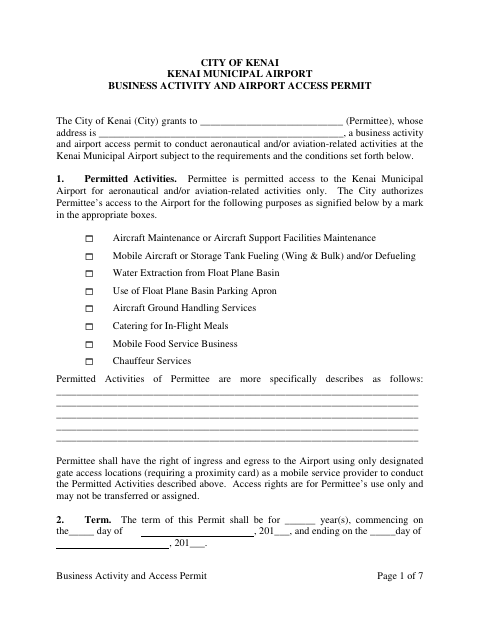
The permit sets out approved activities, airport access conditions, fees, insurance, safety responsibilities, and other operating requirements for a business at Kenai Municipal Airport. A business seeking airport access to perform the listed aeronautical or aviation-related activities completes the permit, and both the City of Kenai and the permittee sign it. Fuel-service providers also have specific reporting and spill-response obligations described in the form.
Who needs it
A business seeking airport access to provide an activity listed in the permit, such as aircraft maintenance, fueling, catering, food service, or chauffeur services, needs this form.
Why it needs a notary
The form has acknowledgment blocks for the City Manager and the permittee’s representative; each signer acknowledges the instrument before a commissioned online notary.
How to get this notarized
- 1
Download the Permit
Download the Business Activity and Airport Access Permit from the City of Kenai.
- 2
Complete the Permit
Enter business and permit details, identify permitted activities, and review the terms, fees, and attachments.
- 3
Book an Online Notary
Arrange an online notarization for the acknowledgment blocks, coordinating the required signers.
- 4
Sign on Video
Each signer completes the acknowledgment with a commissioned online notary during the video session.
- 5
Submit to the City
Submit the completed, signed permit to the City of Kenai for airport access and business activity review.
Preview the form
The blank PDF straight from Kenai. Look it over, then upload your filled copy to start the notary session.

You’ll need ID and a webcam.
A licensed online notary will join you on video, verify your government-issued ID, witness your signature, and apply their seal. You’ll receive the notarized PDF by email when the session ends.
Frequently asked questions
- How do I complete the airport activity permit?
- Select the permitted activities, describe your work, complete the term and permittee details, and review the fees and conditions. The City and permittee sign the completed permit.
- Do I need to notarize this permit?
- Yes. The form includes acknowledgment blocks for the City Manager and the permittee’s representative, with each signer acknowledging the instrument before a notary.
- Can I sign this permit with an online notary?
- Alaska authorizes remote online notarization for its own notaries, and an out-of-state notary’s act is generally expected to be recognized. Confirm acceptance of an online notarization with the City of Kenai before signing.
- What should I do if I am unsure about permit requirements?
- Review the permit’s activity, fee, insurance, and operating conditions. For questions about whether the permit or a particular activity applies, confirm with the borough or municipality if unsure.