
Pinetop-Lakeside, AZ · Navajo County
Bidder's List Form
Businesses use this form to provide company, contact, work, and licensing details for the Town of Pinetop-Lakeside's bidders list.
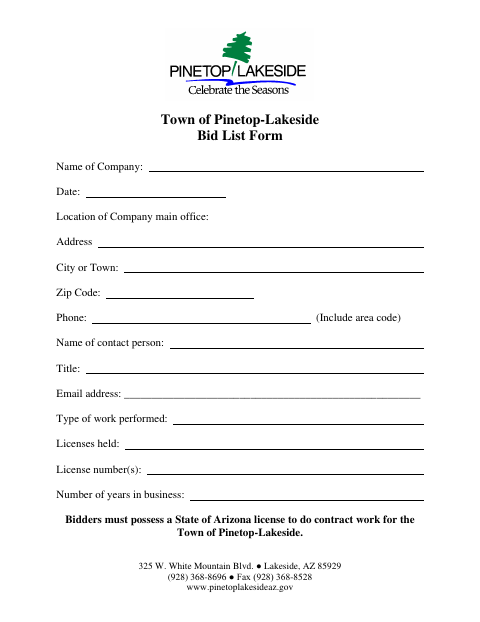
What this form is
This form collects company and contact details for the Town of Pinetop-Lakeside’s bidders list. A business seeking to do contract work for the Town uses it to provide its main office location, work type, licenses and license numbers, and years in business. The form states that bidders must hold a State of Arizona license to do contract work for the Town.
Who needs it
Businesses seeking to do contract work for the Town can use this form to provide their company and licensing information.
How to submit it
Submit it to the city department named on the form; check the city website for current contact details.
About notarization
This document is signed without a notary; it contains no notary block, and the signer just signs and dates the form.
How to submit this form
- 1
Download the Form
Download the Town of Pinetop-Lakeside Bidder's List Form PDF.
- 2
Complete the Form
Enter your company, contact, office location, work type, license, and years-in-business information.
- 3
Gather License Details
Provide the licenses held and license numbers; the form states bidders must hold a State of Arizona license for Town contract work.
- 4
Submit to the Town
Submit it to the city department named on the form; check the city website for current contact details.
Frequently asked questions
- What information does the Bidder's List Form request?
- It requests company name, date, main office location, phone number, contact person and title, email, type of work, licenses and license numbers, and years in business.
- Who uses the Bidder's List Form?
- Businesses seeking to do contract work for the Town can use the form to provide their company and licensing details. The form says bidders must possess a State of Arizona license for Town contract work.
- Do I need a notary for the Bidder's List Form?
- No. This form has no notary block and is signed and dated without a notary.
- How do I submit the Bidder's List Form?
- Submit it to the city department named on the form; check the city website for current contact details.