
Colusa, CA · Colusa County
Workers’ Compensation Declaration
This declaration is for businesses conducting activities under a City of Colusa license to state their workers’ compensation coverage status.
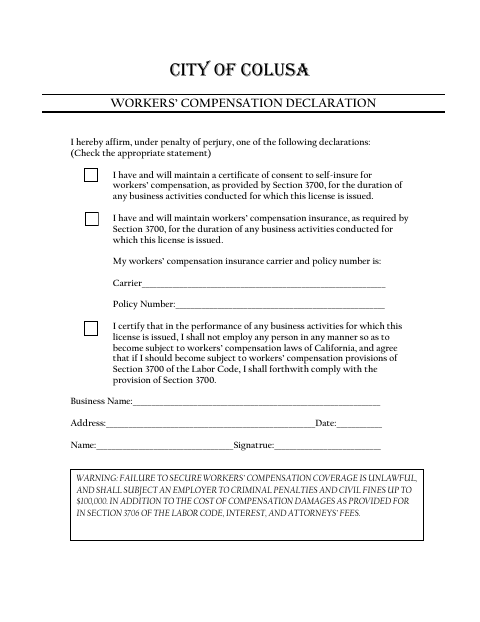
What this form is
The form lets a business declare that it has workers’ compensation insurance, has consent to self-insure, or will not employ anyone in a way that makes it subject to workers’ compensation laws. It asks for the business name and address, date, signer’s name and signature, and, for insured businesses, the carrier and policy number. The declaration applies for the duration of business activities for which the license is issued.
Who needs it
A business conducting activities for which a City of Colusa license is issued completes the statement that applies to its workers’ compensation status.
How to submit it
Submit it to the city department named on the form; check the city website for current contact details.
About notarization
This document is signed and dated without a notary; the signer affirms the selected declaration under penalty of perjury, and no notarized attachment is mentioned.
How to submit this form
- 1
Download The Form
Download the Workers’ Compensation Declaration PDF.
- 2
Complete The Declaration
Check the statement that applies and enter the requested business and signer information.
- 3
Add Insurance Details
If selecting the insurance statement, provide the workers’ compensation insurance carrier and policy number.
- 4
Sign And Submit
Date and sign the declaration, then submit it to the city department named on the form.
Frequently asked questions
- What is the Workers’ Compensation Declaration?
- It lets a business declare that it has workers’ compensation insurance, has consent to self-insure, or will not employ anyone in a way that makes it subject to workers’ compensation laws.
- What information does the form ask for?
- It asks for the business name and address, date, signer’s name and signature, and the insurance carrier and policy number if the business selects the insurance statement.
- Do I need a notary for the Workers’ Compensation Declaration?
- No. The signer signs and dates the declaration under penalty of perjury; the form does not include a notary block or mention a notarized attachment.
- How do I submit the Workers’ Compensation Declaration?
- Submit it to the city department named on the form; check the city website for current contact details.