
La Puente, CA · Los Angeles County
Sign Plan Application
This application requests city review of proposed signs and is filed by a property owner seeking approval for a sign plan before signs are altered, replaced, erected, constructed, or attached.
- California-licensed notary
- ~15 min average
- Notarized PDF emailed
What you’ll need
- Government-issued photo ID
- Webcam-enabled device (laptop or phone)
- This form, ready to upload as a PDF
What this form is
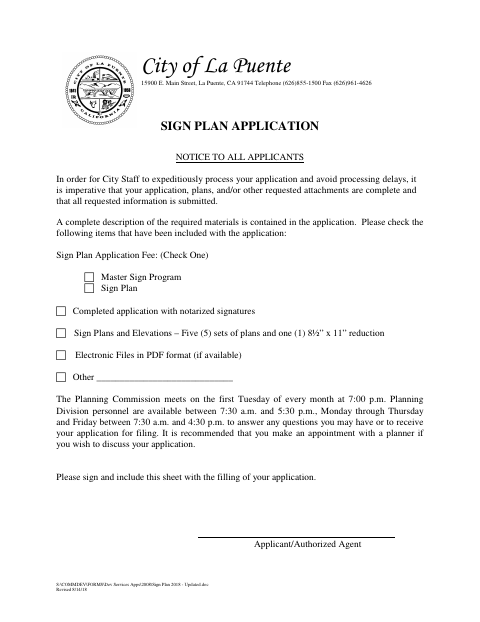
The form collects property and applicant details, proposed sign information, required findings, affidavits, and environmental information for the city’s review. The property owner must apply, provide the filing fee, plans, photographs, and other required materials, and obtain approval before work on signs begins; the city may request additional information.
Who needs it
A property owner seeking city approval for a sign plan must file this application and provide the required plans, photographs, fee, and supporting information.
How to get this notarized
- 1
Download the Application
Download the Sign Plan Application and review its checklist and filing requirements.
- 2
Complete the Form
Fill in applicant, property, proposed sign, findings, and environmental information, and gather the required plans and photographs.
- 3
Book an Online Notary
Arrange a session with a commissioned online notary for each affidavit signer.
- 4
Take the Oath and Sign
Appear on video, take the required oath or affirmation, and sign the affidavit before the notary.
- 5
Submit to the City
Include the notarized application, fee, plans, photographs, and other requested materials when filing with the city.
Preview the form
The blank PDF straight from La Puente. Look it over, then upload your filled copy to start the notary session.

You’ll need ID and a webcam.
A licensed California online notary will join you on video, verify your government-issued ID, witness your signature, and apply their seal. You’ll receive the notarized PDF by email when the session ends.
Frequently asked questions
- How do I get the sign plan affidavits notarized?
- Complete the form, then book a commissioned online notary. Signers take an oath or affirmation and sign the affidavit before the notary during the video session.
- Do I need to notarize both affidavit sections?
- The form includes separate jurat blocks for the applicant and property owner affidavits. Each person signing an affidavit should appear before the notary; confirm with the city if unsure.
- Can I use an online notary for this California form?
- California notaries cannot perform remote online notarization until the Secretary of State certifies the technology or 2030. California recognizes out-of-state notarizations; check with the city about its requirements.
- What else must I submit with the application?
- The form calls for the filing fee, sign plans and elevations, photographs, and other requested materials. It also asks for project and environmental information.