
Palmdale, CA · Los Angeles County
Easement
This easement form lets a property owner grant the City of Palmdale rights to use described real property for specified purposes and related access.
- California-licensed notary
- ~15 min average
- Notarized PDF emailed
What you’ll need
- Government-issued photo ID
- Webcam-enabled device (laptop or phone)
- This form, ready to upload as a PDF
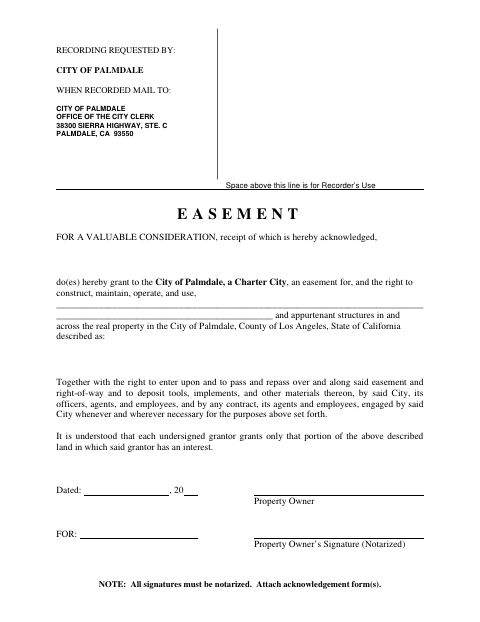
What this form is
The form grants the City of Palmdale an easement to construct, maintain, operate, and use specified facilities and appurtenant structures across the described property. It also gives the City and its representatives access to the easement area and the right to place tools and materials there as needed for those purposes. The form states that all signatures must be notarized and acknowledgment forms attached.
Who needs it
A property owner who grants the City of Palmdale an easement over property in the city should complete and sign this form.
Why it needs a notary
The form requires the property owner’s signature to be notarized and acknowledgment form(s) attached; it does not include a notary block on the form itself.
How to get this notarized
- 1
Download the Easement
Download the City of Palmdale easement form.
- 2
Fill In the Form
Complete the easement description, property description, and date fields.
- 3
Book an Online Notary
Arrange notarization with a commissioned online notary where remote notarization is available for your signing.
- 4
Sign on Video
Sign before the notary and have the acknowledgment form(s) attached.
- 5
Submit to the City
Follow the form’s recording and mailing instructions for the City of Palmdale Office of the City Clerk.
Preview the form
The blank PDF straight from Palmdale. Look it over, then upload your filled copy to start the notary session.

You’ll need ID and a webcam.
A licensed California online notary will join you on video, verify your government-issued ID, witness your signature, and apply their seal. You’ll receive the notarized PDF by email when the session ends.
Frequently asked questions
- How do I complete the Palmdale easement form?
- Describe the property and easement, date and sign as the property owner, have your signature notarized, and attach the acknowledgment form(s). The form says to mail the recorded document to the City Clerk.
- Do I need to notarize every signature?
- Yes. The form states, “All signatures must be notarized,” and instructs signers to attach acknowledgment form(s).
- Can I use an online notary for this form in California?
- California notaries cannot perform remote online notarization until the Secretary of State certifies the technology or 2030. California recognizes out-of-state notarizations under Civil Code §1189(b); use a commissioned online notary where permitted.
- Where do I send the recorded easement?
- The form says to mail it to the City of Palmdale, Office of the City Clerk, 38300 Sierra Highway, Ste. C, Palmdale, CA 93550; confirm with the city if unsure.