
Loomis, CA · Placer County
Accessibility Upgrade Worksheet
This worksheet helps owners or applicants document accessibility upgrade costs and proposed improvements for an existing commercial or public accommodation building project in Loomis.
What this form is
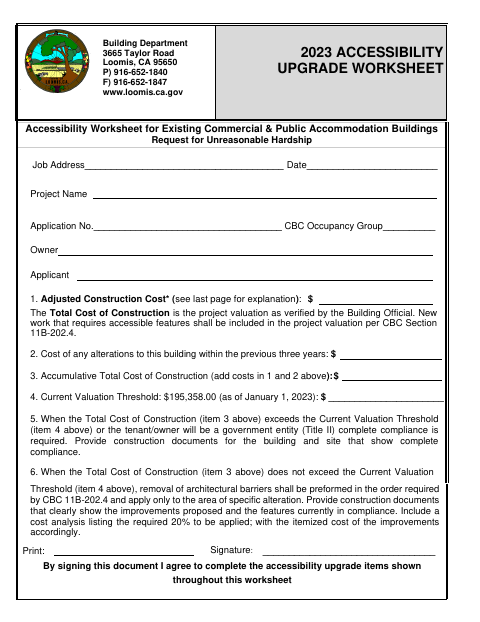
Owners or applicants use this worksheet to request unreasonable hardship consideration and document accessibility upgrades for an existing commercial or public accommodation building. It asks for the job address, project details, construction costs, and proposed improvements; the worksheet explains when complete compliance is required and when barrier removal and a cost analysis are required. The cost table covers entrances, paths of travel, restrooms, public telephones, drinking fountains, and site access.
Who needs it
An owner or applicant for an alteration to an existing commercial or public accommodation building in Loomis may need this worksheet to document accessibility upgrades.
How to submit it
Submit it to the city department named on the form; check the city website for current contact details.
About notarization
This document is signed without a notary; it asks the signer to sign and date the worksheet, with no notarized or sworn attachment mentioned.
How to submit this form
- 1
Download The Worksheet
Download the Accessibility Upgrade Worksheet for your building project.
- 2
Complete Project Details
Enter the job address, date, project name, application number, occupancy group, and owner or applicant information.
- 3
Add Costs And Improvements
Complete the construction cost analysis and identify proposed accessibility improvements in the worksheet.
- 4
Sign And Submit
Sign and date the worksheet, then submit it to the city department named on the form.
Frequently asked questions
- What is the Accessibility Upgrade Worksheet?
- It records project details, construction costs, and proposed accessibility improvements for an existing commercial or public accommodation building.
- Who uses this worksheet?
- An owner or applicant working on an existing commercial or public accommodation building project may use it to document accessibility upgrade costs and improvements.
- Do I need a notary for the Accessibility Upgrade Worksheet?
- No. The worksheet asks the signer to sign and date it; it does not mention a notarized or sworn attachment.
- How do I submit the Accessibility Upgrade Worksheet?
- Submit it to the city department named on the form; check the city website for current contact details.