
Colton, CA · San Bernardino County
Owner's Authorization Letter
This letter authorizes an agent to obtain a building permit for a property owner and provides Colton’s requirements for contractor and agent authorization.
- California-licensed notary
- ~15 min average
- Notarized PDF emailed
What you’ll need
- Government-issued photo ID
- Webcam-enabled device (laptop or phone)
- This form, ready to upload as a PDF
What this form is
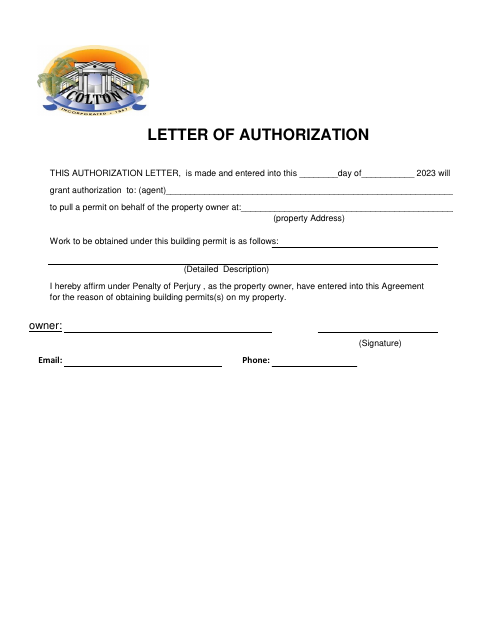
The letter identifies the agent, property address, and work covered by a building permit, and affirms that the property owner entered into the agreement for permitting. Colton’s Building and Safety Division lists it as an option for property-owner authorization; contractor and agent submissions must also meet the requirements shown on the form, including a notarized signature from the licensed individual or listed contractor personnel.
Who needs it
Property owners seeking a building permit through an agent, and contractors or authorized agents submitting the authorization documents listed by Colton.
Why it needs a notary
The two-page form shows no jurat or acknowledgment block; it requires a notarized signature from the licensed individual or listed contractor personnel.
How to get this notarized
- 1
Download the Letter
Get Colton’s Owner's Authorization Letter from the city’s Document Center.
- 2
Fill In the Details
Enter the date, agent, property address, and detailed description of the work covered by the permit.
- 3
Book an Online Notary
Check that online notarization is available for your situation before booking a commissioned online notary.
- 4
Sign Before the Notary
The licensed individual or a person listed on the contractor’s personnel list must sign for notarization.
- 5
Submit to the City
Provide the signed letter and any contractor or agent documents listed on the form to Colton’s Building and Safety Division.
Preview the form
The blank PDF straight from Colton. Look it over, then upload your filled copy to start the notary session.

You’ll need ID and a webcam.
A licensed California online notary will join you on video, verify your government-issued ID, witness your signature, and apply their seal. You’ll receive the notarized PDF by email when the session ends.
Frequently asked questions
- How do I use this authorization letter?
- Complete the letter with the agent’s name, property address, and detailed work description. Follow the contractor or agent documentation requirements printed on the form, then submit the materials to Colton’s Building and Safety Division.
- Do I need to notarize a signature for this form?
- The form says contractor authorization requires a notarized signature by the licensed individual or someone listed on the contractor’s personnel list. It does not print a jurat or acknowledgment block.
- Can I complete this notarization online?
- California notaries cannot perform remote online notarization until the Secretary of State certifies the technology, or 2030. California recognizes out-of-state notarizations under Civil Code §1189(b); confirm with the city if unsure.
- What documents may an authorized agent need to provide?
- The form lists a project-specific contractor letterhead, address, detailed scope of work, agent and contractor names, the contractor’s state license number, and a copy of the agent’s identification card.