
Marysville, CA · Yuba County
Sign Architectural Review Application
Property owners or applicants use this application to request City of Marysville architectural review for a proposed sign.
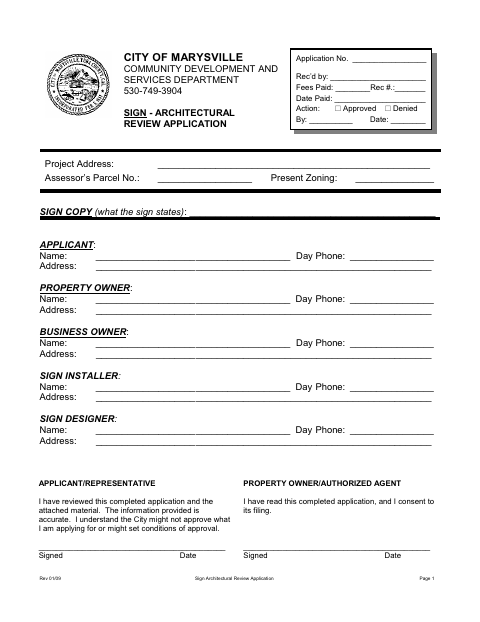
What this form is
The application requests architectural review of signs proposed for a property in Marysville. It asks for the sign message, project and contact details, property information, and signatures from the applicant or representative and property owner or authorized agent. The instructions call for a completed application and copies of a site plan, sign plan, and mounting details; the owner must sign or provide written authorization.
Who needs it
Applicants seeking architectural review for signs in Marysville should complete this application and provide the required plans and mounting details.
How to submit it
Provide one copy of the completed application and three copies each of a site plan, sign plan, and mounting details to the Community Development and Services Department.
About notarization
This document is signed without a notary; the applicant or representative and property owner or authorized agent sign and date it, with no notarized attachment specified.
How to submit this form
- 1
Download The Application
Download the Sign Architectural Review Application.
- 2
Complete And Sign The Form
Fill in the applicant, property, business, installer, designer, and sign information; obtain the required signatures and dates.
- 3
Gather Required Plans
Prepare three copies each of a site plan, sign plan, and mounting details as described in the instructions.
- 4
Submit To The City
Provide one completed application and the required plan copies to the Community Development and Services Department.
Frequently asked questions
- What is the Sign Architectural Review Application for?
- It requests City of Marysville architectural review for proposed signs and collects applicant, property, business, sign, and project information.
- What materials must accompany the application?
- The instructions request three copies each of a site plan, sign plan, and mounting details, in addition to one copy of the completed application.
- Do I need a notary for the Sign Architectural Review Application?
- No. The document is signed and dated without a notary. The applicant or representative and property owner or authorized agent sign; no notarized attachment is specified.
- How do I submit the Sign Architectural Review Application?
- Provide one completed application and three copies each of the site plan, sign plan, and mounting details to the Community Development and Services Department.
Need something notarized?
This Sign Architectural Review Application doesn’t need a notary — but if you have another Marysville form that does, a commissioned online notary can help.