
Morrison, CO · Jefferson County
Lawful Presence Affidavit
This affidavit lets sole proprietors or partnership applicants swear to their lawful presence in the United States when applying for a public benefit.
- licensed online notary
- ~15 min average
- Notarized PDF emailed
What you’ll need
- Government-issued photo ID
- Webcam-enabled device (laptop or phone)
- This form, ready to upload as a PDF
What this form is
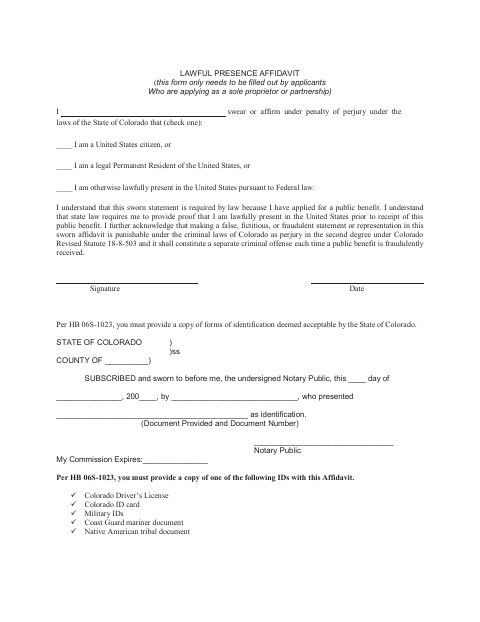
The affidavit asks the signer to affirm whether they are a U.S. citizen, a lawful permanent resident, or otherwise lawfully present in the United States. The form says it is for applicants applying as a sole proprietor or partnership and explains that the sworn statement is required because they have applied for a public benefit. It also instructs applicants to provide a copy of an acceptable identification document.
Who needs it
Applicants applying as a sole proprietor or partnership who have applied for a public benefit and need to submit the sworn lawful-presence statement.
How to get this notarized
- 1
Download The Affidavit
Get the Lawful Presence Affidavit from the City of Morrison.
- 2
Complete The Form
Select the applicable lawful-presence statement and prepare a copy of an identification document listed on the form.
- 3
Book An Online Notary
Schedule a video appointment with a commissioned online notary.
- 4
Sign During The Video Session
Wait to sign until the notary instructs you during the video appointment.
- 5
Submit The Affidavit
Send the notarized affidavit and identification copy to the appropriate city office as directed.
Preview the form
The blank PDF straight from Morrison. Look it over, then upload your filled copy to start the notary session.

You’ll need ID and a webcam.
A licensed online notary will join you on video, verify your government-issued ID, witness your signature, and apply their seal. You’ll receive the notarized PDF by email when the session ends.
Frequently asked questions
- How do I notarize this lawful presence affidavit online?
- Complete the affidavit, then book a video appointment with a commissioned online notary. Sign during the video session when instructed, and submit the notarized form and identification copy as directed.
- Do I need to bring identification to the online notarization?
- The form requires a copy of an acceptable identification document with the affidavit. The notary will also explain what identification is needed for your online appointment.
- Can this affidavit be notarized remotely?
- Colorado authorizes remote online notarization by a commissioned online notary under C.R.S. §24-21-514.5. Ask the receiving office whether it accepts a remotely notarized affidavit.
- Who should complete this affidavit?
- The form says it only needs to be completed by applicants applying as a sole proprietor or partnership. It asks the signer to affirm their lawful presence in the United States.
- Which identification documents does the form list?
- The form lists a Colorado driver’s license, Colorado ID card, military ID, Coast Guard mariner document, or Native American tribal document. Confirm with the city or town if unsure.