
Durango, CO · La Plata County
Marijuana License Application Landlord’s Consent
This landlord consent form authorizes a retail marijuana or medical marijuana business applicant to submit a license application for the owner’s property as a proposed licensed premises.
- licensed online notary
- ~15 min average
- Notarized PDF emailed
What you’ll need
- Government-issued photo ID
- Webcam-enabled device (laptop or phone)
- This form, ready to upload as a PDF
What this form is
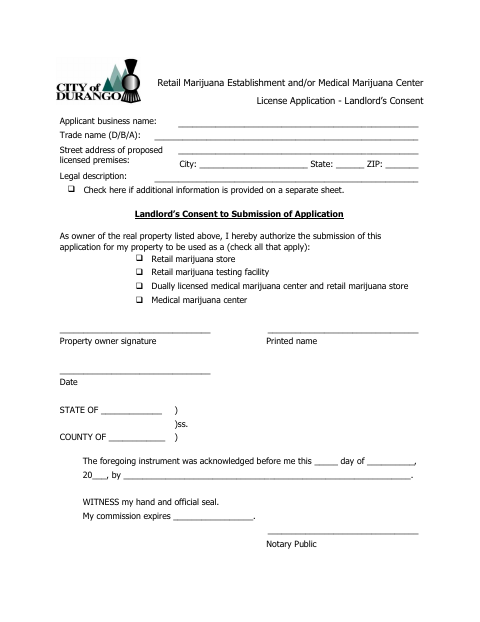
This form records a property owner’s consent to submit a retail marijuana establishment or medical marijuana center license application for the listed premises. The owner identifies which type of business may use the property, and the applicant’s business and premises details are entered on the form. Submit the completed consent with the license application when the property owner’s authorization is needed for the proposed licensed premises.
Who needs it
A business applying for a retail marijuana or medical marijuana license needs the property owner to complete this consent for the proposed licensed premises.
Why it needs a notary
The form has an acknowledgment block; the property owner named in it signs and acknowledges the instrument before a notary public.
How to get this notarized
- 1
Download the Form
Download the landlord consent form for the marijuana license application.
- 2
Fill In the Details
Enter the applicant business name, trade name, premises address, and legal description; select the authorized business type.
- 3
Book an Online Notary
Arrange an online notarization for the property owner’s acknowledgment.
- 4
Sign on Video
The property owner signs and acknowledges the form during the online notary session.
- 5
Submit to the City
Include the completed, notarized consent with the license application for the proposed premises.
Preview the form
The blank PDF straight from Durango. Look it over, then upload your filled copy to start the notary session.

You’ll need ID and a webcam.
A licensed online notary will join you on video, verify your government-issued ID, witness your signature, and apply their seal. You’ll receive the notarized PDF by email when the session ends.
Frequently asked questions
- How do I complete the landlord consent form?
- Enter the applicant business and proposed premises details, select the authorized business type, and have the property owner sign and acknowledge the form before a notary.
- Do I need the property owner to sign this form?
- Yes. The form is the owner’s consent to submitting the application for the listed property, and it provides a signature line for the property owner.
- Can I notarize this form online?
- Colorado authorizes remote online notarization by notaries commissioned in Colorado under C.R.S. §24-21-514.5. C.R.S. §24-21-511 recognizes certain notarial acts performed by authorized officers of another state. Confirm acceptance with the city or town if unsure.
- What should I do after notarization?
- Submit the completed, notarized consent with the license application for the proposed premises. Check with the city about any additional application materials or submission instructions.
Other forms in Durango
Property Affidavit: Age and Safety Attestation
Durango
Owner Occupancy Affidavit for Accessory Dwelling Units
Durango
Accessory Dwelling Unit Owner Occupancy Property Affidavit
Durango
ADU Owner-Occupancy Temporary Waiver
Durango
Annexation Petition
Durango
Property Affidavit: Age and Safety Attestation (Duplex)
Durango