
Telluride, CO · San Miguel County
Marijuana License Major Change Application
This notarized application requests approval for a major change to a Telluride marijuana facility license, including a change in ownership, registered manager, location, or premises.
- licensed online notary
- ~15 min average
- Notarized PDF emailed
What you’ll need
- Government-issued photo ID
- Webcam-enabled device (laptop or phone)
- This form, ready to upload as a PDF
What this form is
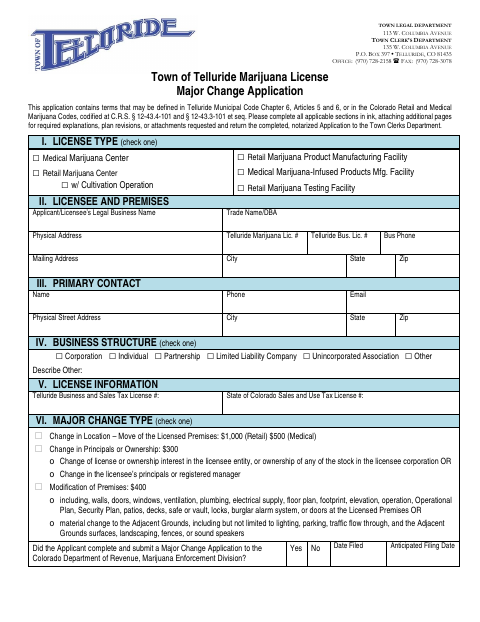
Telluride marijuana licensees use this application to request approval before making a major change to a license, licensed premises, or adjacent grounds. The form covers changes in location, ownership or principals, registered manager, and premises modifications, and requests details and supporting materials based on the type of change. Applicants must complete applicable sections, attach required documents, sign the affirmation, and return the notarized application to the Town Clerk’s Department.
Who needs it
A Telluride marijuana facility licensee seeking approval for a change in ownership, principals, registered manager, location, or licensed premises needs this application.
Why it needs a notary
The form has an affirmation signed under penalty of perjury and a combined subscribed, sworn-to, and acknowledged-before-me block for the applicant’s representative.
How to get this notarized
- 1
Download The Application
Get the Marijuana License Major Change Application and checklist from the Town of Telluride.
- 2
Complete Applicable Sections
Fill in the sections for the change and attach requested explanations, plans, and supporting documents.
- 3
Book An Online Notary
Arrange a session with a commissioned online notary for the application’s affirmation and notary block.
- 4
Sign On Video
Sign the affirmation during the online notary session and complete the notarization.
- 5
Submit To The Town
Return the completed, notarized application and applicable attachments to the Town Clerk’s Department.
Preview the form
The blank PDF straight from Telluride. Look it over, then upload your filled copy to start the notary session.

You’ll need ID and a webcam.
A licensed online notary will join you on video, verify your government-issued ID, witness your signature, and apply their seal. You’ll receive the notarized PDF by email when the session ends.
Frequently asked questions
- How do I notarize this application online?
- Complete the applicable sections and attachments, then book a commissioned online notary. Sign the affirmation during the video session and submit the notarized application to the Town Clerk’s Department.
- Do I need to notarize the major change application?
- Yes. Telluride’s instructions say to return the completed, notarized application, and the checklist lists a completed and notarized major change application as required for all changes.
- Which changes does this application cover?
- The form covers changes in location, principals or ownership, registered manager, and modifications to premises. Complete the sections that apply to the requested change.
- Can I use online notarization for this form?
- Colorado law authorizes remote online notarization by a commissioned online notary under C.R.S. §24-21-514.5. Confirm with the city or town if unsure whether it will accept the notarized document.