
Woodland Park, CO · Teller County
Vacation of Interior Lot Lines and Public Easements Application
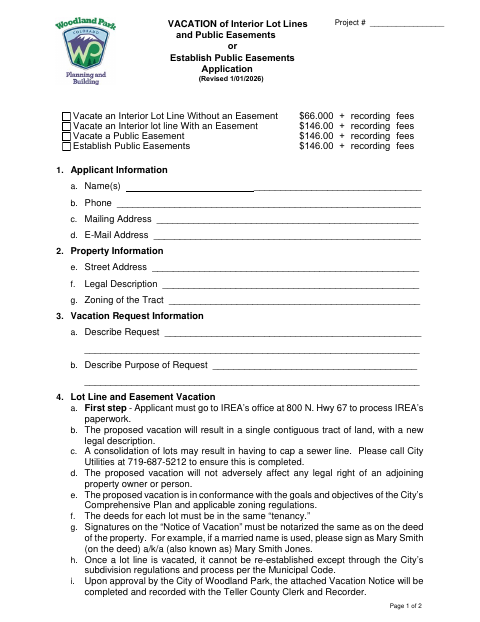
This application requests vacation of interior lot lines or public easements, or establishment of a public easement, and is filed by property owners seeking the change.
- licensed online notary
- ~15 min average
- Notarized PDF emailed
What you’ll need
- Government-issued photo ID
- Webcam-enabled device (laptop or phone)
- This form, ready to upload as a PDF
What this form is
Use this application to ask the city to vacate an interior lot line, vacate a public easement, or establish a public easement. Applicants provide contact and property details, describe the request and its purpose, and submit required ownership documents and an exhibit or drawing. Establishing a public easement also requires a surveyor-prepared legal description and exhibit. The form says that, upon city approval, the attached Vacation Notice will be completed and recorded with the Teller County Clerk and Recorder.
Who needs it
Property owners requesting a lot line or easement change in Woodland Park should complete the application and provide the listed supporting documents.
Why it needs a notary
The application has no displayed notary block; signatures on the attached Notice of Vacation must be notarized, with property owners signing as their names appear on the deed.
How to get this notarized
- 1
Download the Application
Get the current Vacation of Interior Lot Lines and Public Easements or Establish Public Easements Application.
- 2
Fill In the Application
Provide applicant and property details, describe the requested change and its purpose, and gather the required ownership documents and exhibit.
- 3
Book an Online Notary
Arrange an online notarization for signatures on the Notice of Vacation, as required by the form.
- 4
Sign on Video
Follow the commissioned online notary’s instructions and sign the Notice of Vacation during the video session.
- 5
Submit to the City
Submit the application and listed materials to the City of Woodland Park, with applicable fees.
Preview the form
The blank PDF straight from Woodland Park. Look it over, then upload your filled copy to start the notary session.

You’ll need ID and a webcam.
A licensed online notary will join you on video, verify your government-issued ID, witness your signature, and apply their seal. You’ll receive the notarized PDF by email when the session ends.
Frequently asked questions
- What can I request with this application?
- The form covers requests to vacate an interior lot line, vacate a public easement, or establish a public easement.
- What documents must I submit with the application?
- The form lists application and recording/publication fees, proof of ownership such as a warranty deed or title policy, and an exhibit or drawing. Establishing a public easement also requires a surveyor-prepared legal description and exhibit.
- Do I need to notarize the application?
- The form says signatures on the attached Notice of Vacation must be notarized, matching the names on the property deed. It does not show a notary block on the application pages provided.
- How do I get the Notice of Vacation notarized online?
- Colorado authorizes its notaries to perform remote online notarizations under C.R.S. §24-21-514.5. Book a commissioned online notary, follow their instructions, and sign the Notice during the video session. Confirm with the city or town if unsure.
- How is the approved Vacation Notice recorded?
- The form states that after city approval, the attached Vacation Notice will be completed and recorded with the Teller County Clerk and Recorder. Recording fees and publication costs may apply.