
Cromwell, CT · Middlesex County
Pet Containment Responsibility Waiver
Cromwell property owners use this waiver to accept responsibility for an underground pet containment system installed or planned within a Town right-of-way.
- licensed online notary
- ~15 min average
- Notarized PDF emailed
What you’ll need
- Government-issued photo ID
- Webcam-enabled device (laptop or phone)
- This form, ready to upload as a PDF
What this form is
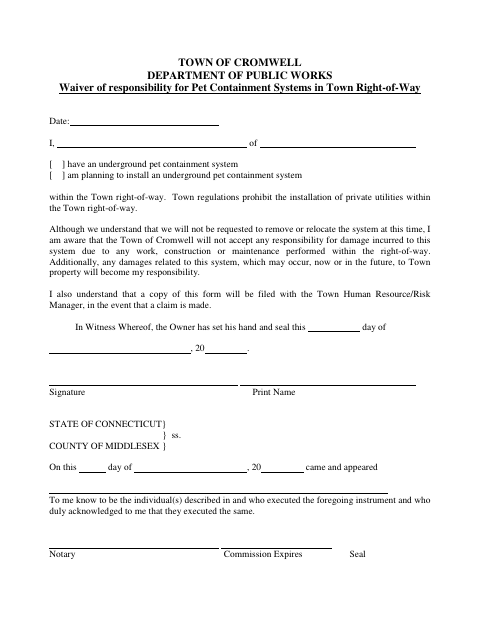
The waiver informs the Town that an owner has or plans to install an underground pet containment system within the Town right-of-way. The signer acknowledges that the Town will not accept responsibility for damage to the system from right-of-way work, construction, or maintenance, and accepts responsibility for any resulting damage to Town property. Cromwell states that a copy will be filed with its Human Resource/Risk Manager in the event of a claim.
Who needs it
A Cromwell property owner with an underground pet containment system in the Town right-of-way, or planning to install one there, should complete this waiver.
Why it needs a notary
The form has an acknowledgment block, not a jurat; the owner signs the waiver and acknowledges its execution before the notary.
How to get this notarized
- 1
Download the Waiver
Get the Pet Containment Responsibility Waiver from the Town of Cromwell.
- 2
Complete the Form
Indicate whether you have or plan to install an underground pet containment system in the Town right-of-way, then add the requested details.
- 3
Book an Online Notary
Arrange an online notarization for the waiver’s acknowledgment.
- 4
Sign on Video
Sign the waiver and acknowledge its execution before the commissioned online notary.
- 5
Submit to the Town
Follow the Town’s instructions for submitting the completed waiver.
Preview the form
The blank PDF straight from Cromwell. Look it over, then upload your filled copy to start the notary session.

You’ll need ID and a webcam.
A licensed online notary will join you on video, verify your government-issued ID, witness your signature, and apply their seal. You’ll receive the notarized PDF by email when the session ends.
Frequently asked questions
- How do I complete and submit the waiver?
- Fill out the waiver, sign it before a commissioned online notary, and submit it to the Town as directed. The form says a copy will be filed with the Town Human Resource/Risk Manager in the event of a claim.
- Do I need to sign the waiver before a notary?
- Yes. The form includes an acknowledgment for the owner, who acknowledges executing the waiver before the notary.
- Can I complete this form with an online notary?
- Connecticut authorizes remote online notarization for its own notaries under Public Act 23-28, codified at Conn. Gen. Stat. §3-95b. Conn. Gen. Stat. §1-57 recognizes notarial acts performed outside Connecticut by an officer authorized where the act took place.
- Who should I contact if I am unsure where to file the waiver?
- The form identifies the Town Human Resource/Risk Manager as the recipient of a copy in the event of a claim. Confirm with the town clerk if unsure.