
Willington, CT · Tolland County
Proof of Workers’ Compensation Coverage for Excluded Employers
This affidavit documents a general contractor’s or principal employer’s workers’ compensation exclusion and is submitted with a building permit application for the listed property.
- licensed online notary
- ~15 min average
- Notarized PDF emailed
What you’ll need
- Government-issued photo ID
- Webcam-enabled device (laptop or phone)
- This form, ready to upload as a PDF
What this form is
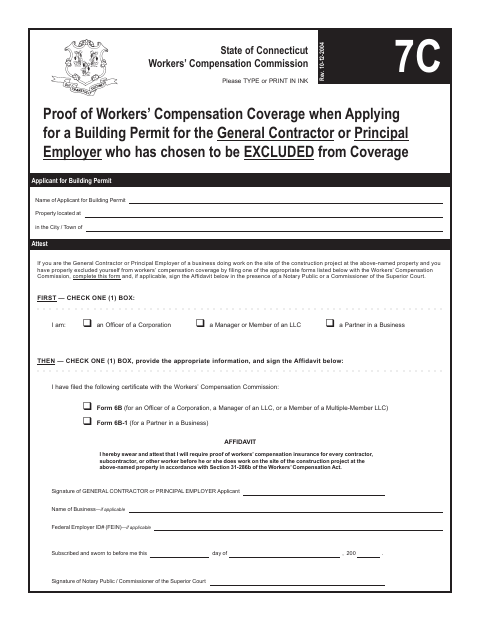
This form is for a general contractor or principal employer who has properly excluded themselves from workers’ compensation coverage by filing the appropriate certificate with the Workers’ Compensation Commission. The signer attests that they will require proof of workers’ compensation insurance from contractors, subcontractors, and other workers before they work at the project property. Complete it when applying for a building permit for work at the listed property.
Who needs it
A general contractor or principal employer who has filed the applicable exclusion certificate and is applying for a building permit for work at the listed property needs this form.
Why it needs a notary
The form has a subscribed-and-sworn affidavit jurat; the general contractor or principal employer signs the affidavit before a notary public or Commissioner of the Superior Court.
How to get this notarized
- 1
Download the Form
Get the Proof of Workers’ Compensation Coverage form for the building permit application.
- 2
Complete the Form
Select your business role and filed certificate, and fill in the requested business, applicant, and property details.
- 3
Book an Online Notary
Arrange a remote notarization for the affidavit with a commissioned online notary.
- 4
- 5
Submit to the City
Submit the completed form with the building permit application for the listed property.
Preview the form
The blank PDF straight from Willington. Look it over, then upload your filled copy to start the notary session.

You’ll need ID and a webcam.
A licensed online notary will join you on video, verify your government-issued ID, witness your signature, and apply their seal. You’ll receive the notarized PDF by email when the session ends.
Frequently asked questions
- How do I complete the workers’ compensation exclusion affidavit?
- Select your business role and the filed certificate, provide the requested applicant and business details, then sign the affidavit before a notary public or Commissioner of the Superior Court.
- Do I need to sign this form in front of a notary?
- Yes. The form says the affidavit must be signed in the presence of a notary public or Commissioner of the Superior Court.
- Can I use a commissioned online notary for this affidavit?
- Connecticut authorizes remote online notarization for its own notaries under Public Act 23-28, codified at Conn. Gen. Stat. §3-95b. Conn. Gen. Stat. §1-57 recognizes qualifying notarial acts performed outside Connecticut. Confirm the town’s requirements if unsure.
- Where do I submit the completed form?
- The form is for a building permit application and identifies the project property and building permit applicant. Check with Willington about how to submit it; confirm with the town clerk if unsure.
Proof of Workers’ Compensation Coverage for Excluded Employers in other Connecticut cities
Each city publishes its own version of this form. Pick the city where you’re filing.