
Macon, GA · Bibb County
Petition to Correct a Birth Certificate
This petition asks the Bibb County Superior Court to order a correction to an adult’s or minor child’s birth certificate, and is filed by the adult or the child’s parent or legal guardian.
- licensed online notary
- ~15 min average
- Notarized PDF emailed
What you’ll need
- Government-issued photo ID
- Webcam-enabled device (laptop or phone)
- This form, ready to upload as a PDF
What this form is
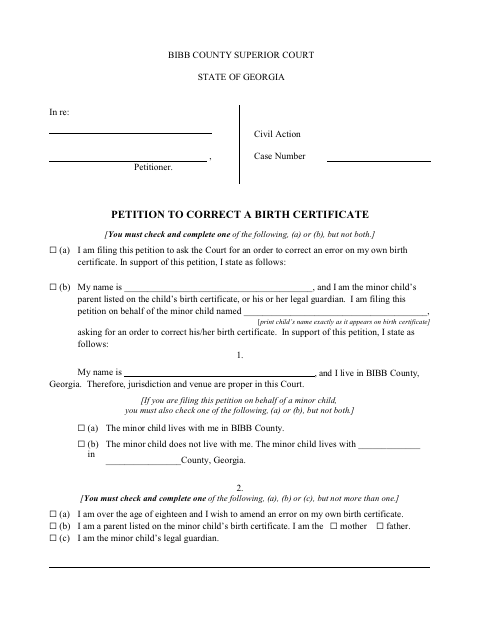
Use this petition to ask the Bibb County Superior Court to correct an error on your own birth certificate or a minor child’s certificate. The form asks for the reason for the requested correction, the changes sought, and supporting documents; it also includes a verification and, for people filing without an attorney, a separate affidavit. File it when Vital Records has indicated that a court order is needed.
Who needs it
An adult seeking to correct their own birth certificate, or a listed parent or legal guardian petitioning for a minor child, may use this form.
How to get this notarized
- 1
Download the Petition
Download the Petition to Correct a Birth Certificate and review the instructions and attached court forms.
- 2
Fill Out the Applicable Sections
Complete the petition for yourself or a minor child, select the applicable options, and gather copies of at least one supporting document.
- 3
Book an Online Notary
Schedule a video session with a commissioned online notary for the verification and any applicable no-attorney affidavit.
- 4
Sign During the Video Session
Wait to sign the sworn sections until the notary directs you during the online session.
- 5
Submit the Petition to the Court
Follow the Bibb County Superior Court filing instructions and submit the petition with its supporting documents.
Preview the form
The blank PDF straight from Macon. Look it over, then upload your filled copy to start the notary session.

You’ll need ID and a webcam.
A licensed online notary will join you on video, verify your government-issued ID, witness your signature, and apply their seal. You’ll receive the notarized PDF by email when the session ends.
Frequently asked questions
- How do I get the petition notarized online?
- Complete the petition and supporting paperwork, then book with a commissioned online notary. Sign the verification and any required affidavit during the video session, and follow the court’s filing instructions.
- Do I need to notarize both sworn sections?
- The petition includes a verification with a jurat, and the no-attorney affidavit also includes a jurat. The form presents the affidavit for people filing without an attorney; confirm which sections apply to your filing.
- Can a commissioned online notary notarize this Georgia court form?
- Georgia has no remote online notarization statute of its own. Georgia law recognizes acknowledgments taken by notaries of other states (O.C.G.A. §44-2-21); that provision concerns acknowledgments, while this form contains sworn jurats. Confirm acceptance with the court before booking.
- What supporting documents should I attach?
- The petition requires copies of at least one listed supporting document, such as a certified birth certificate, parent birth certificates, court guardianship papers, or specified records. Check the applicable choices and confirm with the city if unsure.