
Macon, GA · Bibb County
Civil Process Server Appointment Application
This eight-page application packet asks the Bibb County Superior Court to appoint an applicant as a civil process server, and includes sworn affidavits from the applicant and two character references.
- licensed online notary
- ~15 min average
- Notarized PDF emailed
What you’ll need
- Government-issued photo ID
- Webcam-enabled device (laptop or phone)
- This form, ready to upload as a PDF
What this form is
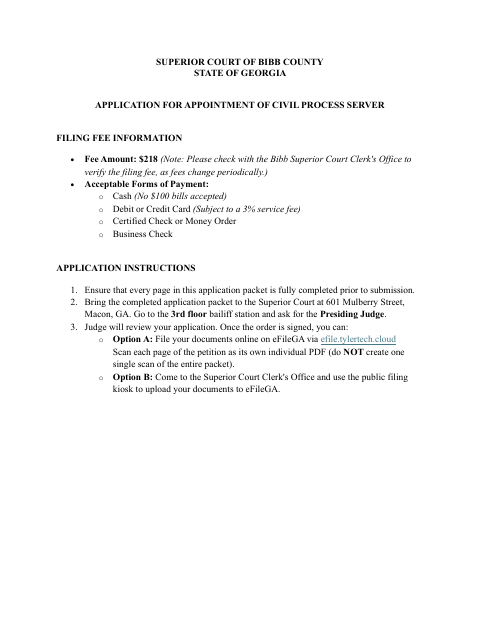
Use this packet to petition the Bibb County Superior Court for appointment as a process server for cases in Bibb, Peach, and Crawford counties. It includes the motion, a petitioner affidavit, two character affidavits, an order for the judge, contact information, and e-filing instructions. The applicant and character references complete sworn statements; the court reviews the petition and, if granted, appoints the applicant for one year. Check the clerk’s office to verify the current filing fee.
Who needs it
A person seeking appointment as a civil process server for the Bibb County Superior Court completes the petition and affidavit, with two qualifying character references completing affidavits.
How to get this notarized
- 1
Download The Application Packet
Download the appointment packet and review all pages, including the motion, affidavits, proposed order, and filing instructions.
- 2
Complete The Forms
Fill in every required field. Arrange for two eligible character references to complete their affidavits.
- 3
Book An Online Notary
Book a commissioned online notary for the sworn statements that contain notary blocks.
- 4
Sign On Video
The applicant and each character reference sign their respective sworn statements during the online notarization session.
- 5
Submit To The Court
Follow the packet’s instructions to present the application for judge review, then file the documents through eFileGA or the clerk’s public filing kiosk.
Preview the form
The blank PDF straight from Macon. Look it over, then upload your filled copy to start the notary session.

You’ll need ID and a webcam.
A licensed online notary will join you on video, verify your government-issued ID, witness your signature, and apply their seal. You’ll receive the notarized PDF by email when the session ends.
Frequently asked questions
- Which parts of the process server application need notarization?
- The motion, petitioner affidavit, and two character affidavits include sworn and subscribed language with notary blocks. The applicant signs the motion and petitioner affidavit; each character reference signs their own affidavit before a notary.
- How do I submit the completed appointment application?
- The instructions say to bring the completed packet to the Superior Court at 601 Mulberry Street, go to the third-floor bailiff station, and ask for the Presiding Judge. After the judge signs the order, file the documents through eFileGA or the clerk’s public filing kiosk.
- Do I need two character affidavits?
- Yes. The petitioner affidavit says to attach two character affidavits from people who have known the applicant for more than two years and are not related to the applicant by blood or marriage. Each character affidavit has its own notary block.
- Can I use a commissioned online notary for these sworn statements?
- Georgia has no remote online notarization statute of its own. Georgia law recognizes acknowledgments taken by notaries of other states under O.C.G.A. §44-2-21; confirm with the city if unsure about acceptance of this court filing.