
Macon, GA · Bibb County
Domestic Relations Financial Affidavit of Defendant
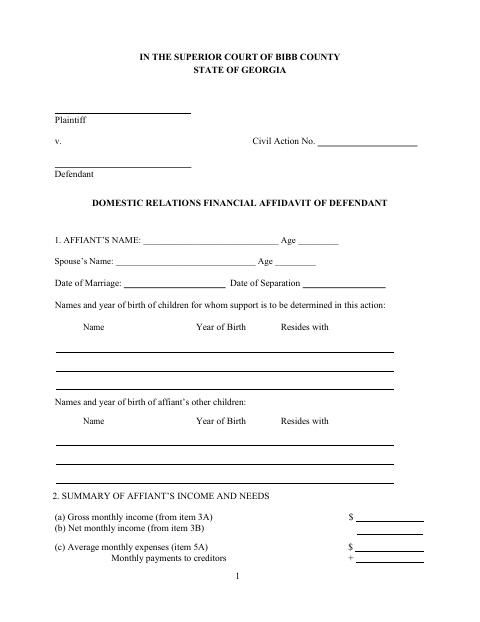
This seven-page affidavit reports a defendant’s income, assets, expenses, and creditor payments for a domestic relations case filed in Bibb County Superior Court.
- licensed online notary
- ~15 min average
- Notarized PDF emailed
What you’ll need
- Government-issued photo ID
- Webcam-enabled device (laptop or phone)
- This form, ready to upload as a PDF
What this form is
The defendant uses this affidavit to provide financial details, including income, assets, monthly expenses, and payments to creditors, in a domestic relations case. The form also requests information about the affiant’s spouse, children, and certain income and expenses relevant to support. Complete the applicable sections and attach requested supporting documents, such as recent wage statements and itemized calculations, before submitting it as part of the case.
Who needs it
A defendant in a Bibb County Superior Court domestic relations case who must provide financial information for the court’s consideration needs this affidavit.
How to get this notarized
- 1
Download The Affidavit
Get the Domestic Relations Financial Affidavit of Defendant from the Macon-Bibb County form source.
- 2
Fill In Applicable Sections
Provide the requested information about income, assets, expenses, creditor payments, spouse, and children. Attach supporting documents called for by the form.
- 3
Book An Online Notary
Schedule a session with a commissioned online notary and have the completed affidavit and identification ready.
- 4
Sign And Swear On Video
Sign the affidavit during the video session and swear to the truth of its contents before the notary.
- 5
Submit It To The Court
Submit the notarized affidavit and applicable attachments with your domestic relations case materials in Bibb County Superior Court.
Preview the form
The blank PDF straight from Macon. Look it over, then upload your filled copy to start the notary session.

You’ll need ID and a webcam.
A licensed online notary will join you on video, verify your government-issued ID, witness your signature, and apply their seal. You’ll receive the notarized PDF by email when the session ends.
Frequently asked questions
- How do I complete and notarize this affidavit?
- Fill in the applicable financial sections and gather the requested supporting documents. Book an online session, sign while the notary observes, then submit the completed affidavit with your case materials.
- Do I need to sign the affidavit in front of a notary?
- Yes. The final page says the affiant must swear to the affidavit and sign before an officer authorized to administer oaths; it includes a notary signature and commission-expiration line.
- Can I use a commissioned online notary for this jurat?
- Georgia has no remote online notarization statute of its own and recognizes acknowledgments taken by notaries of other states. Because this form requires a sworn jurat, confirm with the city if unsure whether an online notarization will be accepted.
- What documents should I prepare?
- The form requests copies of the two most recent wage statements and, where applicable, attached itemized calculations for self-employment or rental income. Review the form for other supporting information relevant to your entries.