
Macon, GA · Bibb County
Utility Request Form
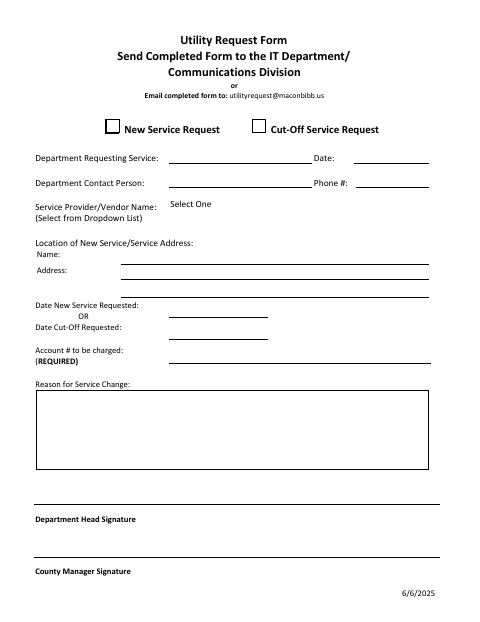
Macon-Bibb County departments use this form to request new utility service or a cutoff and provide the service location and account details.
What this form is
The Utility Request Form lets a department request new service or a cutoff and identify the service provider and location. It asks for the requesting department, contact details, requested date, account to be charged, reason for the change, and department head and County Manager signatures.
Who needs it
A department requesting new utility service or a cutoff completes the form and provides the required account and signature information.
How to submit it
Send the completed form to the IT Department/Communications Division or email it to [email protected].
About notarization
This document is signed without a notary; the form asks for department head and County Manager signatures, and the signer just dates it.
How to submit this form
- 1
Download The Form
Download the Utility Request Form PDF.
- 2
Complete The Request
Enter the requesting department, contact information, service provider, location, requested date, account number, and reason for the change.
- 3
Add Signatures
Obtain the department head and County Manager signatures requested on the form.
- 4
Submit The Form
Send it to the IT Department/Communications Division or email [email protected].
Frequently asked questions
- What is the Utility Request Form used for?
- Departments use it to request new utility service or a cutoff and provide the service location, requested date, account to be charged, and reason for the change.
- How do I submit the Utility Request Form?
- Send the completed form to the IT Department/Communications Division or email it to [email protected].
- Do I need a notary for the Utility Request Form?
- No. The form has no notary block; it asks for department head and County Manager signatures, and the signer just dates it.
Need something notarized?
This Utility Request Form doesn’t need a notary — but if you have another Macon form that does, a commissioned online notary can help.