
Statesboro, GA · Bulloch County
Alcohol License Change Of Manager Application
This eight-page application lets a Statesboro alcohol-licensed business report a manager change and provide the new manager’s consent and background-check information to the city.
- licensed online notary
- ~15 min average
- Notarized PDF emailed
What you’ll need
- Government-issued photo ID
- Webcam-enabled device (laptop or phone)
- This form, ready to upload as a PDF
What this form is
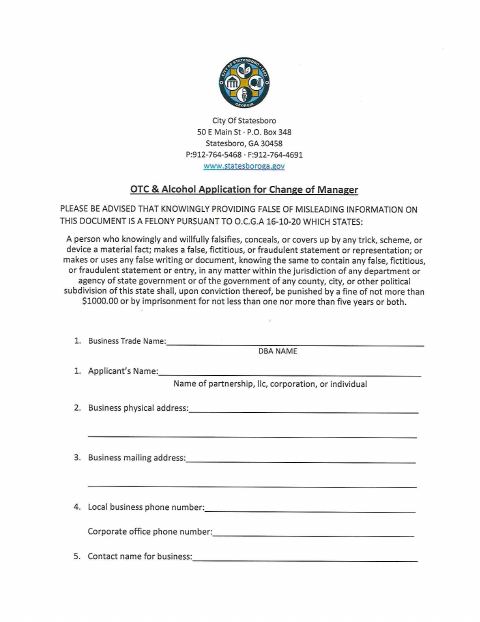
The application collects business and manager details, authorizes a criminal history record check, and includes fingerprint-registration and privacy-rights materials. A business seeking to change the person responsible for its alcohol licensing can use it to provide the city with the new manager’s information and signed consent. The form includes sworn statements for notarization; it does not specify processing times or additional submission requirements.
Who needs it
A Statesboro business with an alcohol license needs this application when it is changing the manager responsible for its alcohol licensing.
Why it needs a notary
The manager signs the City of Statesboro consent form, and the applicant signs the GAPS registration; each has a sworn-before-me jurat for the signer.
How to get this notarized
- 1
Download The Application
Get the City of Statesboro OTC & Alcohol Application for Change of Manager.
- 2
Complete The Form
Enter the business and manager details and complete the consent and applicant information sections.
- 3
Book An Online Notary
Arrange an online notarization for the sections that include sworn-before-me language.
- 4
Sign On Video
Sign the applicable sections during the online notary session, following the notary’s instructions.
- 5
Submit To The City
Send the completed application to the City of Statesboro using its submission instructions.
Preview the form
The blank PDF straight from Statesboro. Look it over, then upload your filled copy to start the notary session.

You’ll need ID and a webcam.
A licensed online notary will join you on video, verify your government-issued ID, witness your signature, and apply their seal. You’ll receive the notarized PDF by email when the session ends.
Frequently asked questions
- How do I complete the notarized sections?
- Complete the applicable information, then sign the consent and GAPS registration where indicated while in the presence of a commissioned online notary. Submit the completed application to the city.
- Do I need to sign the form in front of a notary?
- The form includes sworn-before-me language and notary blocks for the City of Statesboro consent and GAPS applicant registration. The relevant signer should sign those sections before a notary.
- Can I use an online notary for this application?
- Georgia has no remote online notarization statute of its own, but Georgia law recognizes acknowledgments taken by notaries of other states. Ask a commissioned online notary about the appropriate oath process, and confirm with the city if unsure.
- Who submits the change-of-manager application?
- The alcohol-licensed business provides its business details and information for the manager responsible for alcohol licensing. The form also includes the manager’s consent and applicant information for background-check processing.
Other forms in Statesboro
Occupational Tax Certificate - Massage Establishment Application
Statesboro
Occupational Tax Certificate Application (General Business License)
Statesboro
Occupational Tax Application Renewal - General
Statesboro
Pawnbroker, Secondhand Dealer & Dealer in Precious Metals & Gems Application
Statesboro
Special Use Permit Application
Statesboro
Zoning Map Amendment (Rezoning) Application
Statesboro