
Athens, GA · Clarke County
Residential Transitional Property Application
This application requests current-use assessment for residential transitional property and is filed with the county Board of Tax Assessors by the property owner or an authorized representative.
- licensed online notary
- ~15 min average
- Notarized PDF emailed
What you’ll need
- Government-issued photo ID
- Webcam-enabled device (laptop or phone)
- This form, ready to upload as a PDF
What this form is
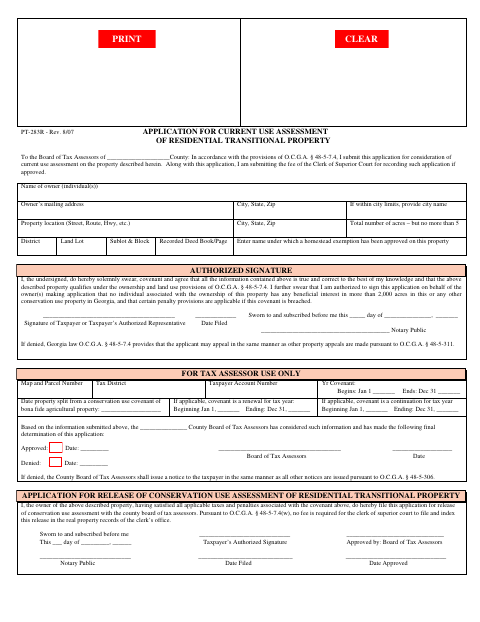
Use this form to ask the county Board of Tax Assessors to consider current-use assessment for residential transitional property. It requests owner, property, acreage, and homestead exemption details, along with a sworn statement that the information is true and the property qualifies. The form also includes an application to release a conservation-use assessment after applicable taxes and penalties are satisfied; the owner completes that section when seeking a release.
Who needs it
A property owner, or an authorized representative signing for the owner, may use the application to seek current-use assessment or apply for release of a conservation-use assessment.
Why it needs a notary
The application and release sections each carry a “Sworn to and subscribed before me” block; the taxpayer or authorized representative signs the applicable section before the notary.
How to get this notarized
- 1
Download the Form
Get the Residential Transitional Property Application from the Athens-Clarke County document source.
- 2
Fill Out the Applicable Section
Enter the owner and property details and complete either the current-use assessment application or the release section, as applicable.
- 3
Book an Online Notary
Arrange a video appointment with a commissioned online notary and have identification ready.
- 4
Sign on Video
Sign the applicable section during the appointment when instructed by the notary.
- 5
Submit to the County
Send the notarized application to the county Board of Tax Assessors and follow its submission instructions.
Preview the form
The blank PDF straight from Athens. Look it over, then upload your filled copy to start the notary session.

You’ll need ID and a webcam.
A licensed online notary will join you on video, verify your government-issued ID, witness your signature, and apply their seal. You’ll receive the notarized PDF by email when the session ends.
Frequently asked questions
- How do I get the residential transitional application notarized?
- Complete the applicable section, then sign it during a video appointment with a commissioned online notary. Submit the notarized application to the county Board of Tax Assessors.
- Do I need to sign this form in front of a notary?
- Yes. The application and release sections each include a “Sworn to and subscribed before me” block for the taxpayer or authorized representative’s signature.
- Can I use an online notary for this Georgia form?
- Georgia has no remote online notarization statute of its own. Georgia law recognizes acknowledgments taken by notaries of other states (O.C.G.A. §44-2-21); confirm with the city if unsure about acceptance.
- Where do I submit the completed application?
- The form is addressed to the county Board of Tax Assessors. Check with that office about submission instructions and any applicable recording fee.
Other forms in Athens
Alcoholic Beverage License Renewal
Athens
Amendment to Current Alcoholic Beverage License
Athens
Criminal History Consent Form
Athens
First Time Alcoholic Beverage Application
Athens
Affidavit for Short Term Rental (STR) Home Occupation Application
Athens
Short Term Rental (STR) Home Occupation Application
Athens