
Acworth, GA · Cobb County
Short-Term Rental Occupational Tax Application
Acworth property owners and rental operators use this application to request an occupational tax certificate before starting short-term rental business activity in the city.
- licensed online notary
- ~15 min average
- Notarized PDF emailed
What you’ll need
- Government-issued photo ID
- Webcam-enabled device (laptop or phone)
- This form, ready to upload as a PDF
What this form is
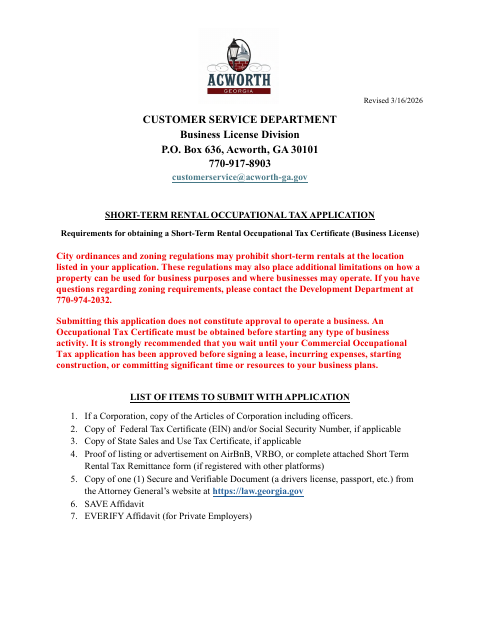
The application gathers business, property, owner, and rental-agent details and includes sworn affidavits, a rental certification, and a tax collection form. Acworth requires an Occupational Tax Certificate before business activity begins; applicants submit supporting documents, and payment is due after approval from all departments. The form also explains that zoning rules may restrict rentals and lists annual renewal by June 30.
Who needs it
Property owners and rental operators seeking an Acworth short-term rental occupational tax certificate should complete the application and provide its required supporting documents.
Why it needs a notary
The application includes subscribed-and-sworn jurats for the application and public-benefit, and private-employer affidavits; each affidavit signer must appear before a notary.
How to get this notarized
- 1
Download The Application
Get the Short-Term Rental Occupational Tax Application from the City of Acworth.
- 2
Complete The Form
Fill in applicable business, property, owner, rental-agent, and affidavit information; gather the supporting documents listed by the city.
- 3
Book An Online Notary
Schedule a video appointment with a commissioned online notary for the affidavits that require notarization.
- 4
Sign On Video
Show identification and sign the applicable sworn affidavits in the online notary's presence.
- 5
Submit To The City
Send the completed application and required supporting documents to the City of Acworth as directed on the form.
Preview the form
The blank PDF straight from Acworth. Look it over, then upload your filled copy to start the notary session.

You’ll need ID and a webcam.
A licensed online notary will join you on video, verify your government-issued ID, witness your signature, and apply their seal. You’ll receive the notarized PDF by email when the session ends.
Frequently asked questions
- How do I get the affidavits notarized?
- Complete the form but leave the jurat signature lines unsigned. Book with a commissioned online notary, then sign the affidavits during your video appointment.
- Do I need to notarize every signature on the application?
- The form has subscribed-and-sworn notary blocks on the application and public-benefit and private-employer affidavits. Those affidavits must be sworn before a notary; check which apply to your filing.
- Can I use an online notary for this Acworth application?
- Georgia has no remote online notarization statute of its own. Georgia law recognizes acknowledgments taken by notaries of other states under O.C.G.A. §44-2-21; confirm with the city if unsure.
- What should I submit with the application?
- The form lists supporting items that may include corporate articles, tax identification documents, rental listing proof, a secure and verifiable document, and SAVE and E-Verify affidavits.
Other forms in Acworth
Alcohol Manager Permit Application
Acworth
Charitable Solicitations and Peddlers Permit Application
Acworth
Affidavit for Additional Kitchen in Single-Family Dwelling
Acworth
Alcoholic Beverage License Application
Acworth
Alcoholic Beverage Catering Off-Premises Application and Event Permit
Acworth
Catering Out-of-City-Limits Permit Application
Acworth