
South Fulton, GA · Fulton County
Basement Notice Of Acknowledgment
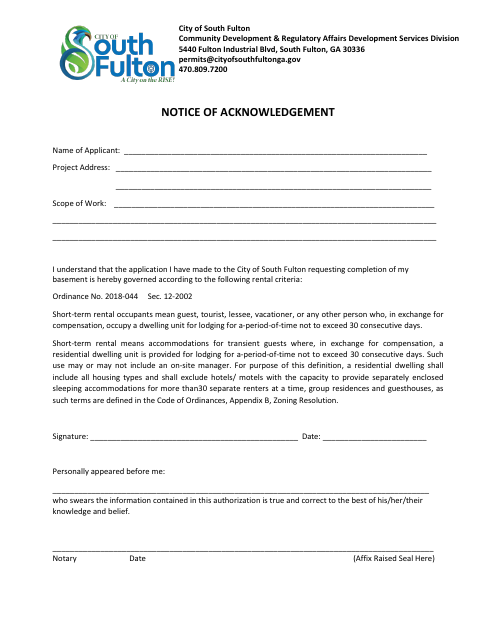
This notice records an applicant’s acknowledgment of rental criteria for a basement completion application submitted to the City of South Fulton Community Development and Regulatory Affairs.
- licensed online notary
- ~15 min average
- Notarized PDF emailed
What you’ll need
- Government-issued photo ID
- Webcam-enabled device (laptop or phone)
- This form, ready to upload as a PDF
What this form is
The notice identifies the applicant, project address, and scope of work, and states that the basement completion application is governed by the listed rental criteria. Those criteria define short-term rentals and occupants, including stays of no more than 30 consecutive days for compensation. The applicant signs and dates the form, then swears before a notary that the information is true and correct to the best of their knowledge and belief.
Who needs it
An applicant seeking City of South Fulton approval to complete a basement should use this notice to acknowledge the listed rental criteria.
Why it needs a notary
The form has a personally appeared before me block stating the signer swears the information is true and correct; the applicant signs before the notary.
How to get this notarized
- 1
Download The Form
Get the Basement Notice of Acknowledgment from the City of South Fulton.
- 2
Fill In The Form
Provide the applicant name, project address, and scope of work, and review the rental criteria.
- 3
Book An Online Notary
Schedule a session with a commissioned online notary and have the form ready.
- 4
Sign On Video
Appear before the notary and swear that the information is true and correct to the best of your knowledge and belief.
- 5
Submit To The City
After notarization, submit the notice with your basement completion application to the City of South Fulton.
Preview the form
The blank PDF straight from South Fulton. Look it over, then upload your filled copy to start the notary session.

You’ll need ID and a webcam.
A licensed online notary will join you on video, verify your government-issued ID, witness your signature, and apply their seal. You’ll receive the notarized PDF by email when the session ends.
Frequently asked questions
- How do I complete the basement notice?
- Enter the applicant, project address, and scope of work, review the rental criteria, then sign and date the form before a notary.
- Do I need to swear to the information before a notary?
- Yes. The form says the signer personally appears and swears the information is true and correct to the best of their knowledge and belief.
- Can I use a commissioned online notary?
- Georgia has no remote online notarization statute of its own and recognizes acknowledgments taken by notaries of other states under O.C.G.A. §44-2-21. This form calls for a sworn statement, so confirm with the city if unsure.
- What should I bring to the online notarization?
- Have the completed form available and be ready to identify yourself, review the statement, and sign before the notary. Do not sign in advance.
Other forms in South Fulton
Alcohol Beverage License Application (Consumption on Premises)
South Fulton
Alcohol Beverage License Application (Retail)
South Fulton
E-Verify Affidavit – Private Employer
South Fulton
Registered Agent Designee Form
South Fulton
SAVE Affidavit Verifying Status for City Public Benefit
South Fulton
Abandoned and Vacant Building Certificate Application
South Fulton