
Hinesville, GA · Liberty County
Precious Metals Dealer Registration
This registration collects business, owner, and employee details for precious metals dealers operating in Hinesville, and is filed with the city for review and background checks.
- licensed online notary
- ~15 min average
- Notarized PDF emailed
What you’ll need
- Government-issued photo ID
- Webcam-enabled device (laptop or phone)
- This form, ready to upload as a PDF
What this form is
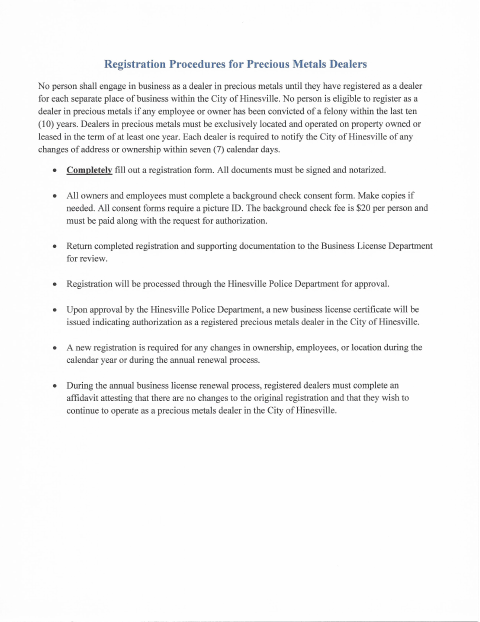
Hinesville’s Precious Metals Dealer Registration collects business location and tax details, owner information, and a list of employees. The form states that registration must be completed, signed, and notarized, and includes a consent for criminal or driver’s history information to be provided to the police and business license departments. The city uses the packet for zoning and police department review; it also outlines background-check, location, and address-change requirements for dealers.
Who needs it
Precious metals businesses seeking registration in Hinesville should submit this form with owner and employee details and the required background-check consent information.
Why it needs a notary
The registration has a sworn-to-and-subscribed-before-me block, and the consent has a notary line; the authorized signer and each consenting person sign before the notary.
How to get this notarized
- 1
Download the Form
Get the Precious Metals Dealer Registration from the City of Hinesville.
- 2
Fill In the Details
Provide the requested business, owner, and employee information, and prepare the background-check consent details.
- 3
Book an Online Notary
Arrange an appointment with a commissioned online notary for the required notarized signatures.
- 4
Sign on Video
Follow the notary’s instructions and sign the applicable registration and consent sections during the online session.
- 5
Submit to the City
Send the completed packet to the City of Hinesville for review by the appropriate departments.
Preview the form
The blank PDF straight from Hinesville. Look it over, then upload your filled copy to start the notary session.

You’ll need ID and a webcam.
A licensed online notary will join you on video, verify your government-issued ID, witness your signature, and apply their seal. You’ll receive the notarized PDF by email when the session ends.
Frequently asked questions
- How do I complete and submit this registration?
- Complete the business, owner, and employee information, arrange notarization for the required signatures, and submit the packet to the City of Hinesville for review.
- Do I need to notarize the employee consent form?
- The packet includes a consent form with a notary line and says the registration must be notarized. Check with the city about notarization for each individual consent.
- Can I use a commissioned online notary?
- Georgia has no remote online notarization statute of its own; Georgia law recognizes acknowledgments taken by notaries of other states under O.C.G.A. §44-2-21. Confirm with the city if unsure whether it will accept this notarization.
- What information should I gather before filling this out?
- Gather business and tax details, owner information, employee names and details, and the information needed for each criminal-history consent. The form also asks about the business location and mailing address.
Other forms in Hinesville
Business License Application
Hinesville
Class V Alcohol Beverage License Application (Special Events)
Hinesville
Flea Market Permit Addendum
Hinesville
Mobile Food Service Establishment License Application
Hinesville
Peddler or Transient Merchant License Application
Hinesville
SAVE Lawful Presence Affidavit
Hinesville