
Valdosta, GA · Lowndes County
Residential Permit Application
Valdosta residents, property owners, and contractors use this application process to request a residential permit and provide project and property information.
What this form is
The Residential Permit Application explains how to request a residential permit through Valdosta’s online permit process. Applicants search for the property or contractor company, enter permit type, work description, project cost, and other required information, then sign the disclaimer and submit. The document does not list attachments or specify particular types of residential work that require a permit.
Who needs it
Residents, property owners, and contractors seeking a residential permit in Valdosta use this process to provide property and project information.
How to submit it
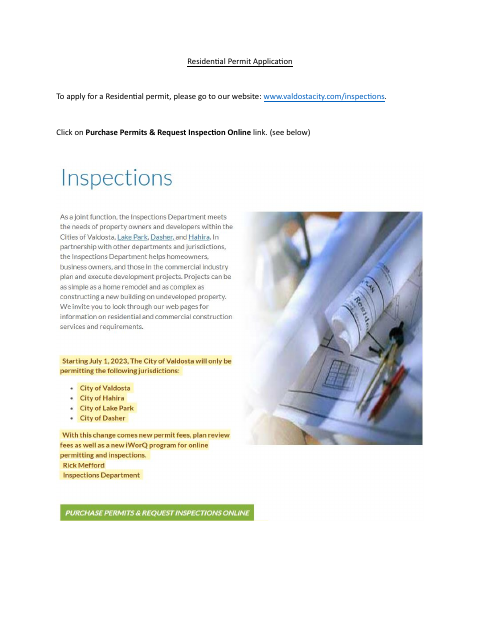
Go to www.valdostacity.com/inspections and click “Purchase Permits & Request Inspection Online.” Select the Home icon, complete the required fields, sign the disclaimer, and submit online.
About notarization
This document is signed without a notary; it directs the applicant to sign the disclaimer and submit, with no notarized or sworn attachment mentioned.
How to submit this form
- 1
Download The Document
Download the Residential Permit Application document to review the city’s online application instructions.
- 2
Open The Online Application
Visit www.valdostacity.com/inspections, click “Purchase Permits & Request Inspection Online,” and select the Home icon.
- 3
Complete The Required Fields
Search for the property or contractor company and enter the required project information, including permit type, work description, and project cost.
- 4
Submit To The City
Sign the disclaimer and submit the application online. The document does not list any attachments.
Frequently asked questions
- Do I need a notary for the Residential Permit Application?
- No. The document directs the applicant to sign the disclaimer and submit online; it does not mention a notarized or sworn attachment.
- How do I submit the Residential Permit Application?
- Visit www.valdostacity.com/inspections, click “Purchase Permits & Request Inspection Online,” select the Home icon, complete the required fields, sign the disclaimer, and submit.
- What information does the residential permit application request?
- The application process asks for property or contractor information and project details, including permit type, work description, and project cost.
Need something notarized?
This Residential Permit Application doesn’t need a notary — but if you have another Valdosta form that does, a commissioned online notary can help.