
Gay, GA · Meriwether County
E-Verify Contractor Affidavit and Agreement
This affidavit lets a contractor verify E-Verify enrollment and agree to related compliance duties when contracting with the Town of Gay for physical services.
- licensed online notary
- ~15 min average
- Notarized PDF emailed
What you’ll need
- Government-issued photo ID
- Webcam-enabled device (laptop or phone)
- This form, ready to upload as a PDF
What this form is
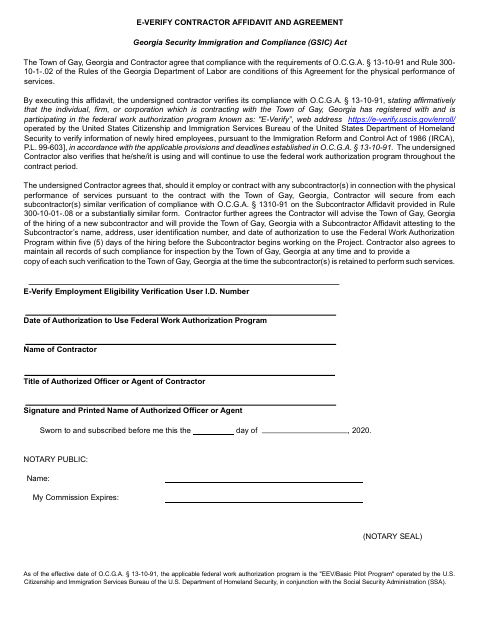
The contractor uses this affidavit to affirm participation in the federal E-Verify program and agree to maintain that participation during the contract period. It also covers duties involving subcontractor affidavits, notices to the Town, and compliance records. The Town of Gay makes compliance a condition of agreements for the physical performance of services, so contractors complete and submit the affidavit as part of that process.
Who needs it
A contractor entering an agreement with the Town of Gay for physical services needs this form to affirm E-Verify participation and related subcontractor compliance.
How to get this notarized
- 1
Download the Affidavit
Get the Town of Gay Contractor E-Verify Affidavit and Agreement.
- 2
Fill In the Contractor Details
Complete the E-Verify information and enter the authorized officer or agent’s name and title.
- 3
Book an Online Notary
Arrange a session with a commissioned online notary for the form’s jurat.
- 4
Sign on Video
Swear to and sign the affidavit during the online notary session.
- 5
Submit It to the Town
Send the completed affidavit to the Town of Gay as part of the contracting process.
Preview the form
The blank PDF straight from Gay. Look it over, then upload your filled copy to start the notary session.

You’ll need ID and a webcam.
A licensed online notary will join you on video, verify your government-issued ID, witness your signature, and apply their seal. You’ll receive the notarized PDF by email when the session ends.
Frequently asked questions
- How do I complete the contractor E-Verify affidavit?
- Enter the contractor’s E-Verify information, authorized officer or agent details, and signature. Swear to and sign the affidavit before a commissioned online notary, then submit it to the Town.
- Do I need to sign this affidavit in front of a notary?
- Yes. The form includes a sworn-to-and-subscribed jurat, so the authorized officer or agent must swear to and sign the affidavit before the notary.
- Can I use a commissioned online notary for this form?
- Georgia has no remote online notarization statute of its own; Georgia law recognizes acknowledgments taken by notaries of other states under O.C.G.A. § 44-2-21. Confirm with the city if unsure whether it will accept this notarization.
- What does the contractor agree to do about subcontractors?
- The contractor agrees to obtain subcontractor compliance verification, notify the Town when hiring a new subcontractor, provide an affidavit before work begins, and maintain records for inspection.