
Kauai County, HI · Kauai County
Minor Affidavit
This affidavit lets a parent, guardian, or foster parent attest to a child’s custody or guardianship circumstances and accept responsibility in connection with the child’s application for a driver’s license.
- licensed online notary
- ~15 min average
- Notarized PDF emailed
What you’ll need
- Government-issued photo ID
- Webcam-enabled device (laptop or phone)
- This form, ready to upload as a PDF
What this form is
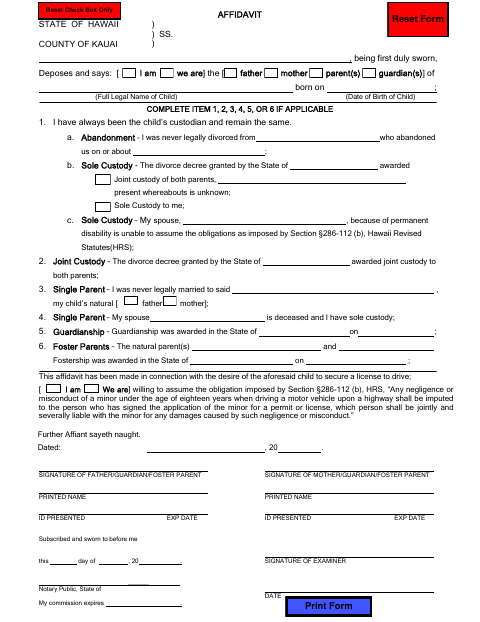
The Minor Affidavit records the signing adult’s relationship to the child and the applicable custody, guardianship, or foster-parent circumstances. It also states that the adult is willing to assume responsibility described on the form in connection with the child’s desire to obtain a driver’s license. The form includes a sworn statement and is signed before a notary; check with Kauai County about when it must be submitted with the child’s license application.
Who needs it
A parent, guardian, or foster parent may need this affidavit when a child seeks a driver’s license and the form’s custody or guardianship statements apply.
How to get this notarized
- 1
Download the Affidavit
Get the Minor Affidavit from the Kauai County Finance Department.
- 2
Complete the Applicable Sections
Enter the child’s legal name and birth date, select the applicable custody or guardianship statement, and fill in the requested details.
- 3
Book an Online Notary
Schedule a session with a commissioned online notary and have identification ready.
- 4
Sign and Swear on Video
Appear for the video session, sign the affidavit as directed, and swear that its statements are true.
- 5
Submit the Affidavit
Submit the notarized form as directed for the child’s driver’s license application.
Preview the form
The blank PDF straight from Kauai County. Look it over, then upload your filled copy to start the notary session.

You’ll need ID and a webcam.
A licensed online notary will join you on video, verify your government-issued ID, witness your signature, and apply their seal. You’ll receive the notarized PDF by email when the session ends.
Frequently asked questions
- How do I complete and notarize the Minor Affidavit?
- Fill in the applicable custody or guardianship details, then book an online notary appointment. Sign and swear to the affidavit during the video session, and submit it as directed for the child’s license application.
- Do I need to sign the affidavit in front of a notary?
- Yes. The form says it must be subscribed and sworn before a notary. The parent, guardian, or foster parent who signs should wait to sign until appearing before the notary.
- Can I use an online notary for this affidavit?
- Hawaii permits a notary with an active Hawaii commission to apply to the Attorney General for a separate remote online notary commission. If the notary holds that separate commission, you can sign during a remote video session.
- Which custody or guardianship section should I complete?
- The form directs you to complete item 1, 2, 3, 4, 5, or 6 if applicable. Choose the statement that matches your circumstances; confirm with the county if unsure.