
Wilmette, IL · Cook County
Local Liquor License Application
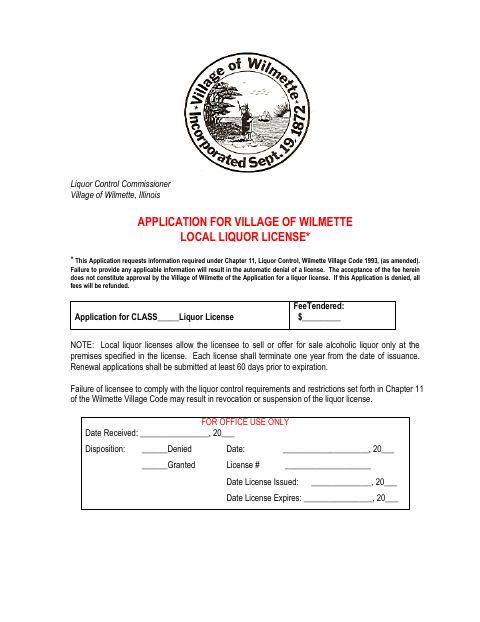
This eight-page application requests information from businesses and other applicants seeking a Village of Wilmette local liquor license to sell alcohol at a specified premises.
- licensed online notary
- ~15 min average
- Notarized PDF emailed
What you’ll need
- Government-issued photo ID
- Webcam-enabled device (laptop or phone)
- This form, ready to upload as a PDF
What this form is
The application collects business, ownership, premises, insurance, financial, licensing-history, and eligibility information from applicants seeking a local liquor license. The applicant or authorized agent must certify the information under oath; the form states that missing applicable information results in automatic denial. Renewal applicants need only complete sections that have changed since their original or last renewal application, and renewal applications must be submitted at least 60 days before expiration.
Who needs it
Businesses and other applicants seeking a new or renewed Wilmette local liquor license must complete the applicable sections and provide the requested supporting information.
How to get this notarized
- 1
Download The Application
Get the Village of Wilmette Local Liquor License Application and review its instructions and required sections.
- 2
Complete Applicable Sections
Provide the requested business, ownership, premises, history, and eligibility information; gather any supporting documents that apply.
- 3
Book An Online Notary
Schedule a remote session with a commissioned online notary for the applicant or authorized agent signing the certification.
- 4
Sign Under Oath On Video
Sign the certification during the video session and complete the subscribed-and-sworn jurat with the notary.
- 5
Submit To The Village
Submit the completed application and applicable attachments to the Village of Wilmette.
Preview the form
The blank PDF straight from Wilmette. Look it over, then upload your filled copy to start the notary session.

You’ll need ID and a webcam.
A licensed online notary will join you on video, verify your government-issued ID, witness your signature, and apply their seal. You’ll receive the notarized PDF by email when the session ends.
Frequently asked questions
- Who signs the application before a notary?
- An owner, officer, partner, or authorized agent of the business signs the certification. The form requires the signature to be original and the certification to be sworn before a notary.
- How do I prepare for online notarization?
- Complete the applicable application sections, then book a session with a commissioned online notary. Sign the certification during the video session and follow the notary’s instructions.
- Do I need to complete every section for a renewal?
- The form says renewal applicants need only complete sections that have changed since the original or last renewal application. It also says to submit renewal applications at least 60 days before expiration.
- Can I notarize this application remotely?
- Illinois authorizes electronic and remote notarization for its own notaries and recognizes notarial acts performed outside Illinois by an officer authorized where the act occurs. Confirm with the city or village if unsure.
- What supporting documents may be needed?
- The application calls for supporting items in specified cases, including a current lease for certain new applicants, restaurant floor plans, club or association member lists, and citizenship-status documentation where applicable.