
Watseka, IL · Iroquois County
Retailer's Liquor License Application
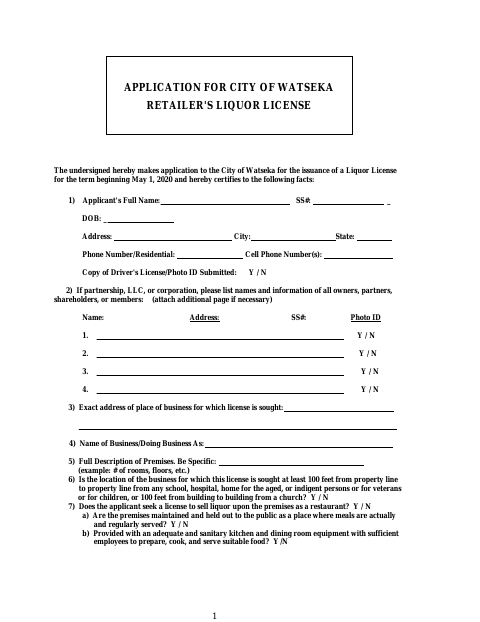
This eight-page application lets a person or business apply to the City of Watseka for a retailer's liquor license and provide applicant, manager, ownership, premises, and eligibility information.
- licensed online notary
- ~15 min average
- Notarized PDF emailed
What you’ll need
- Government-issued photo ID
- Webcam-enabled device (laptop or phone)
- This form, ready to upload as a PDF
What this form is
The application requests details about the business location, premises, license class, applicant, and any manager, partners, officers, directors, members, or shareholders. Applicants also answer eligibility questions and submit supporting materials listed in the checklist, such as photo identification, ownership documents, and background-check results. The final page contains an affidavit affirming compliance with laws and that the application statements are true; use the form when applying to the city for a retailer's liquor license.
Who needs it
A person or business seeking a Watseka retailer's liquor license should complete the application and provide the requested information for applicable owners, managers, and other business participants.
How to get this notarized
- 1
Download The Application
Get the Retailer's Liquor License Application from the City of Watseka.
- 2
Complete The Application
Fill in the applicant, business, premises, license class, ownership, manager, and eligibility information, and gather checklist items.
- 3
Book An Online Notary
Schedule a session with a commissioned online notary for the affidavit on the final page.
- 4
Sign On Video
Sign and swear or affirm to the affidavit before the notary during the online video session.
- 5
Submit To The City
Submit the completed application and required supporting documents to the City of Watseka.
Preview the form
The blank PDF straight from Watseka. Look it over, then upload your filled copy to start the notary session.

You’ll need ID and a webcam.
A licensed online notary will join you on video, verify your government-issued ID, witness your signature, and apply their seal. You’ll receive the notarized PDF by email when the session ends.
Frequently asked questions
- How do I get the affidavit on this application notarized online?
- Complete the application, then book with a commissioned online notary. The applicant signs and swears or affirms to the affidavit during the video session.
- Do I need to notarize the entire liquor license application?
- The form's final page contains an affidavit and a “Subscribed and Sworn to before me” jurat. The applicant or applicants sign that affidavit before the notary.
- What should I submit with the application?
- The checklist calls for photo ID, documents establishing ownership or business structure, a lease if applicable, naturalization papers if applicable, signed background-check releases, and national background-check results.
- Can I submit the notarized application online?
- The form does not specify how to submit the application. Ask the City of Watseka about its submission process; confirm with the city or village if unsure.
- Can an online notary notarize this Illinois form?
- Illinois authorizes electronic and remote notarization by its notaries under the Illinois Notary Public Act (5 ILCS 312). Illinois also recognizes notarial acts performed outside Illinois by an officer authorized where the act occurs (765 ILCS 30).