
Mount Zion, IL · Macon County
Occupied Annexation Application
This application asks the Village of Mt. Zion to annex occupied property and is completed by the applicant, with ownership and property details and supporting proof attached.
- licensed online notary
- ~15 min average
- Notarized PDF emailed
What you’ll need
- Government-issued photo ID
- Webcam-enabled device (laptop or phone)
- This form, ready to upload as a PDF
What this form is
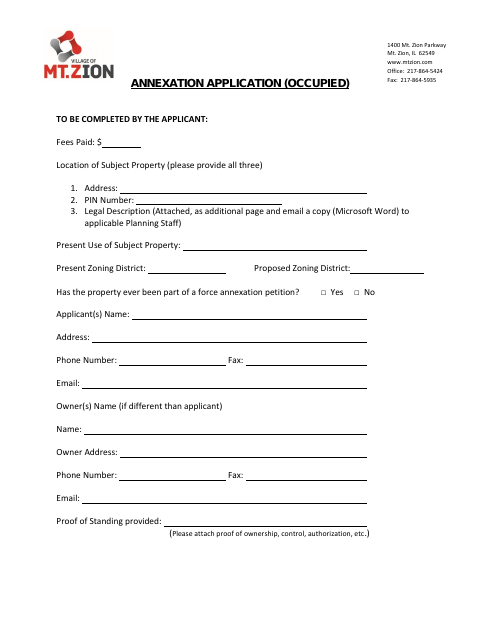
Use this application when requesting that the Village of Mt. Zion annex occupied territory. The applicant provides the property address, parcel identification number, legal description, current and proposed zoning, and applicant and owner details; the form also asks for proof of standing and representations about ownership, resident electors, municipal boundaries, and contiguity to the village.
Who needs it
An applicant requesting annexation of occupied property to the Village of Mt. Zion must complete the application and provide the requested property information and proof of standing.
Why it needs a notary
The form has a “Signed and sworn to before me” jurat; the owner or petitioner signing the application must sign and swear before a notary.
How to get this notarized
- 1
Download The Application
Get the occupied annexation application from the Village of Mt. Zion.
- 2
Complete The Form
Enter the property, applicant, and owner information and attach the legal description and proof of standing.
- 3
Book An Online Notary
Arrange a remote notarization with a commissioned online notary.
- 4
Sign On Video
Sign and swear to the application before the notary during your online session.
- 5
Submit To The Village
Send the completed application and attachments to the Village of Mt. Zion.
Preview the form
The blank PDF straight from Mount Zion. Look it over, then upload your filled copy to start the notary session.

You’ll need ID and a webcam.
A licensed online notary will join you on video, verify your government-issued ID, witness your signature, and apply their seal. You’ll receive the notarized PDF by email when the session ends.
Frequently asked questions
- How do I complete the occupied annexation application?
- Provide the requested property, applicant, and owner information, attach the legal description and proof of standing, then sign the application under oath before a notary.
- Do I need to sign this form in front of a notary?
- Yes. The application includes a “Signed and sworn to before me” jurat for the owner or petitioner’s signature.
- Can I use a remote online notary for this application?
- Illinois authorizes electronic and remote notarization for its own notaries, and recognizes notarial acts performed outside Illinois by an officer authorized where the act occurs. Confirm with the city or village if unsure.
- What supporting information does the application request?
- The form requests the property address, PIN, legal description, zoning information, applicant and owner contact details, and proof of ownership, control, or authorization.