
Salem, IL · Marion County
Request For Public Records
Salem Police Department’s public records request form lets a requester seek to inspect or obtain copies of records held by the department.
What this form is
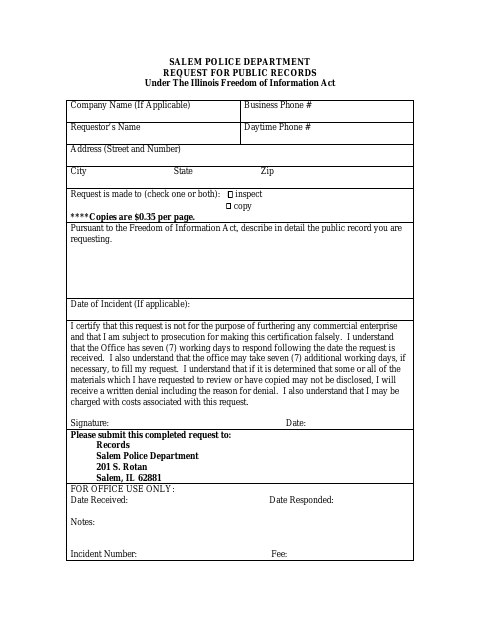
Use this form to ask the Salem Police Department to let you inspect or provide copies of a public record. It asks for requester and contact details, a detailed description of the record, an incident date if applicable, and a certification about commercial use; the requester signs and dates it.
Who needs it
Anyone requesting to inspect or obtain copies of public records from the Salem Police Department can complete this form.
How to submit it
Submit the completed request to Records, Salem Police Department, 201 S. Rotan, Salem, IL 62881. Copies cost $0.35 per page, and the form says request-related costs may apply.
About notarization
This document is signed and dated without a notary; the signer completes the certification on the form and no notarized attachment is mentioned.
How to submit this form
- 1
Download The Form
Download the Salem Police Department Request For Public Records form.
- 2
Complete The Request
Provide your contact details, choose inspection or copies, describe the record, and add an incident date if applicable.
- 3
Sign And Date
Complete the certification, then sign and date the request.
- 4
Submit To The Police Department
Send the completed request to Records, Salem Police Department, 201 S. Rotan, Salem, IL 62881.
Frequently asked questions
- What does the Salem public records request form ask for?
- It asks for requester and contact information, whether you want to inspect or copy records, a detailed description of the record, and an incident date if applicable.
- How do I submit the Salem public records request?
- Submit the completed form to Records, Salem Police Department, 201 S. Rotan, Salem, IL 62881. The form lists copies at $0.35 per page and says request-related costs may apply.
- Do I need a notary for the Salem public records request?
- No. This document is signed and dated without a notary; the signer completes the certification on the form, and no notarized attachment is mentioned.