
Crystal Lake, IL · McHenry County
Going Out of Business Sale License Application
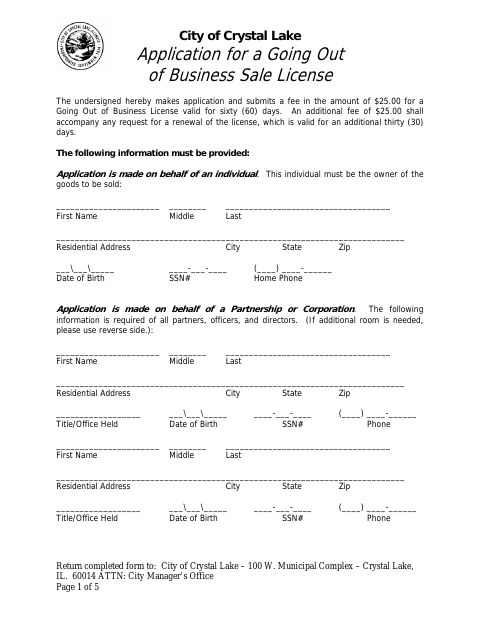
This five-page application is for individuals, partnerships, or corporations seeking a Crystal Lake license to hold a going-out-of-business sale and must be sworn before a notary.
- licensed online notary
- ~15 min average
- Notarized PDF emailed
What you’ll need
- Government-issued photo ID
- Webcam-enabled device (laptop or phone)
- This form, ready to upload as a PDF
What this form is
The application requests business and applicant details, the sale location and dates, the reason for the sale, and a detailed inventory of goods. Crystal Lake requires the application for a going-out-of-business sale license; the form states the license is valid for 60 days and may be renewed once for up to 30 additional days. Applicants must also submit the stated fee and follow the form’s inventory and sale conditions.
Who needs it
An individual owner, partnership, or corporation applying to conduct a going-out-of-business sale in Crystal Lake needs this application.
How to get this notarized
- 1
Download the Application
Get the Going Out of Business Sale License Application and review its affidavit, inventory requirements, and sale conditions.
- 2
Complete the Application
Enter applicant and business details, sale location and dates, sale reason, and the required inventory information.
- 3
Book an Online Notary
Schedule a remote session with a commissioned online notary for the affidavit.
- 4
Sign on Video
Have the required applicant signers complete the affidavit during the video session when directed by the notary.
- 5
Submit to the City
Return the completed notarized application, required inventory, and fee to the City Manager’s Office as instructed on the form.
Preview the form
The blank PDF straight from Crystal Lake. Look it over, then upload your filled copy to start the notary session.

You’ll need ID and a webcam.
A licensed online notary will join you on video, verify your government-issued ID, witness your signature, and apply their seal. You’ll receive the notarized PDF by email when the session ends.
Frequently asked questions
- How do I get the application notarized online?
- Complete the application, then book a session with a commissioned online notary. Sign the affidavit during the video session when directed, and submit the notarized application and required inventory to the City.
- Do I need to attach an inventory?
- Yes. The form calls for a detailed, complete inventory of the goods to be sold, including item details such as make and brand, cost, seller, purchase and delivery dates, and total inventory value at cost.
- Who must sign the affidavit?
- The form says an individual application is signed by the applicant, a partnership application by two partners, and a corporation application by its president and secretary. The required signers swear to the affidavit before a notary.
- Can I submit the application without checking with the City?
- The form directs applicants to return the completed application to the City Manager’s Office. For questions about current submission procedures or requirements, confirm with the city or village if unsure.
- Can I use a remote online notary for this affidavit?
- Illinois authorizes electronic and remote notarization for its own notaries under the Notary Public Act (5 ILCS 312). A commissioned online notary can notarize the affidavit remotely; check that the City will accept the completed document.