
Pecatonica, IL · Winnebago County
Liquor License Application
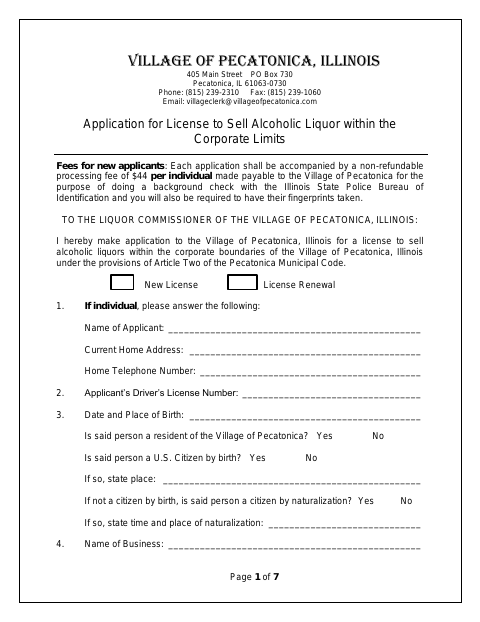
This seven-page application is for individuals, corporations, and partnerships seeking a new or renewed license to sell alcoholic liquor within Pecatonica’s corporate limits.
- licensed online notary
- ~15 min average
- Notarized PDF emailed
What you’ll need
- Government-issued photo ID
- Webcam-enabled device (laptop or phone)
- This form, ready to upload as a PDF
What this form is
The application gathers applicant and business details, ownership or partnership information, property and background history, license class, and insurance information. New applicants are asked to pay a non-refundable processing fee for a background check and have fingerprints taken; the checklist also identifies supporting documents by applicant type. The final page includes sworn statements and signature lines for the business or corporation and, where applicable, its officers and directors, followed by a notary block.
Who needs it
Individuals, corporations, and partnerships applying for a new or renewed license to sell alcoholic liquor within Pecatonica’s corporate limits need this form.
Why it needs a notary
The final page has a jurat stating the signers were sworn and subscribed before the notary; the listed business representative and applicable officers or directors sign.
How to get this notarized
- 1
Download the Application
Get the seven-page liquor license application and review the form and applicant-type checklist.
- 2
Complete the Form
Fill in the applicant, business, ownership, property, history, and license information that applies to you.
- 3
Gather Supporting Documents
Use the checklist to prepare required documents and applicable fees; new applicants are also asked to have fingerprints taken.
- 4
Book an Online Notary
Schedule a session with a commissioned online notary for the sworn statements on the final page.
- 5
Sign on Video
Wait to sign until the notary directs you during the video session, then complete the jurat process.
- 6
Submit to the Village
Submit the completed application and required materials to the Village of Pecatonica.
Preview the form
The blank PDF straight from Pecatonica. Look it over, then upload your filled copy to start the notary session.

You’ll need ID and a webcam.
A licensed online notary will join you on video, verify your government-issued ID, witness your signature, and apply their seal. You’ll receive the notarized PDF by email when the session ends.
Frequently asked questions
- Who completes the Pecatonica liquor license application?
- The form is for individuals, corporations, and partnerships seeking a new or renewed license to sell alcoholic liquor within Pecatonica’s corporate limits.
- Do I need to sign the application in front of a notary?
- Yes. The final page has a jurat stating that the signer or signers were sworn and subscribed before a notary. Signers should wait to sign until they are with the notary.
- How do I get the application notarized online?
- Complete the application, book with a commissioned online notary, and sign during the video session. Illinois authorizes electronic and remote notarization by its notaries, and recognizes qualifying notarial acts performed outside Illinois.
- What supporting documents should I prepare?
- The checklist varies by applicant type. It lists items such as articles of incorporation or a partnership agreement, liquor liability insurance, applicable fees, and a lease copy if applicable. Confirm with the city or village if unsure.
Liquor License Application in other Winnebago County cities
Each city publishes its own version of this form. Pick the city where you’re filing.