
Hammond, IN · Lake County
Mobile Food Vendor License Application
This application requests a Hammond mobile food vendor license and is filed by businesses seeking to sell food or beverages from a mobile vending operation in the city.
- licensed online notary
- ~15 min average
- Notarized PDF emailed
What you’ll need
- Government-issued photo ID
- Webcam-enabled device (laptop or phone)
- This form, ready to upload as a PDF
What this form is
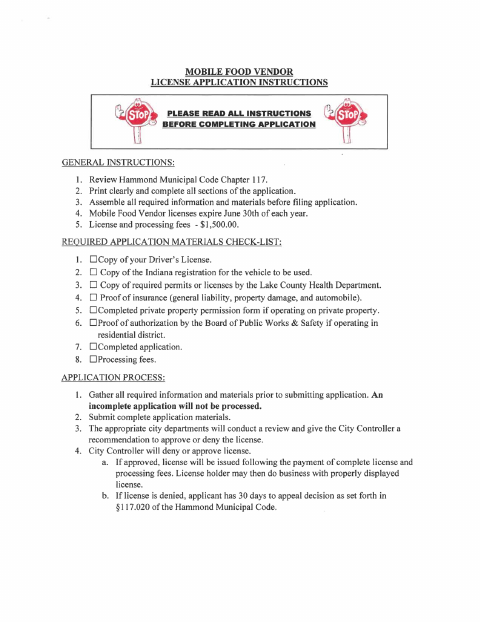
Hammond uses this application to review requests for a mobile food vendor license. Applicants submit the completed form with the listed materials, including vehicle registration, required health permits, proof of insurance, and any applicable property permission or residential-district approval. The packet also includes a private property permission form for vendors operating on private property, which requires the property owner’s notarized signature. Licenses expire annually on June 30.
Who needs it
Businesses planning to operate as mobile food vendors in Hammond must file the application and provide the required supporting materials before the city reviews their license request.
Why it needs a notary
The private property permission form has a jurat; the property owner signs and swears to the permission statement before the notary.
How to get this notarized
- 1
Download the Application
Get the Hammond mobile food vendor application and private property permission form.
- 2
Complete the Forms
Fill in the application and gather the required supporting documents. Complete the property permission form if operating on private property.
- 3
Book an Online Notary
If the property permission form applies, arrange a commissioned online notary for the property owner’s signature.
- 4
Sign on Video
The property owner signs and swears to the permission statement during the online notarization.
- 5
Submit to the City
Submit the complete application packet and required materials to the City of Hammond.
Preview the form
The blank PDF straight from Hammond. Look it over, then upload your filled copy to start the notary session.

You’ll need ID and a webcam.
A licensed online notary will join you on video, verify your government-issued ID, witness your signature, and apply their seal. You’ll receive the notarized PDF by email when the session ends.
Frequently asked questions
- How do I complete the notarized property permission form?
- Have the property owner complete and sign the permission section before a commissioned online notary. Include the signed form with your application if you will vend on private property.
- Do I need a notary for the entire application?
- The notary block appears on the private property permission form, not the main application. The property owner signs that section before the notary when the form applies.
- Can I sign the property permission form with an online notary?
- Indiana allows its notaries with a remote notary public endorsement to perform remote online notarizations. A commissioned online notary can guide the property owner through signing on video.
- What materials should I submit with the application?
- The instructions list identification, vehicle registration, required health permits, proof of insurance, and other applicable approvals, along with the completed application and fees. Confirm with the city or town if unsure.