
Johnston, IA · Polk County
Storm Sewer and Sanitary Sewer Easement
This easement grants the City of Johnston perpetual rights to use described property for storm sewer or sanitary sewer infrastructure, and the property owner submits it for city approval and recording.
- licensed online notary
- ~15 min average
- Notarized PDF emailed
What you’ll need
- Government-issued photo ID
- Webcam-enabled device (laptop or phone)
- This form, ready to upload as a PDF
What this form is
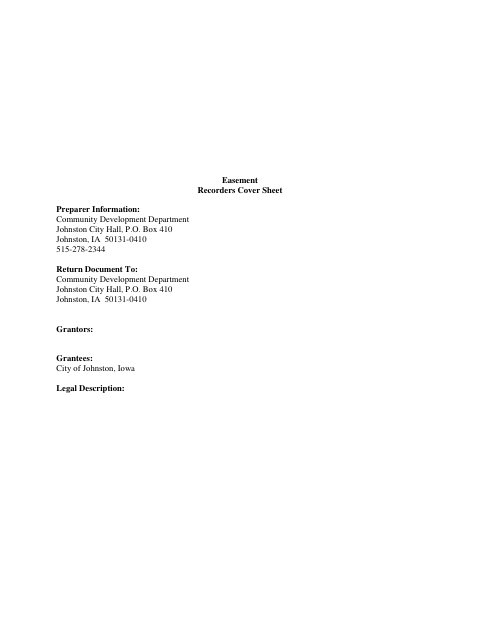
The form conveys a perpetual easement to the City of Johnston for storm sewer or sanitary sewer infrastructure on the property described in the document. It sets out restrictions and responsibilities for the easement area, including limits on structures and changes to the land. The city’s form states that the easement is not binding until the City Council gives final approval and acceptance; the cover sheet provides return information for the city’s Community Development Department.
Who needs it
A property owner granting Johnston an easement for storm sewer or sanitary sewer infrastructure must complete the form and provide the property’s legal description.
Why it needs a notary
The grantor’s representative signs before a notary, who completes the acknowledgment stating the signer was personally known and duly sworn.
How to get this notarized
- 1
Download the Easement
Download Johnston’s Storm Sewer and Sanitary Sewer Easement form and review its terms.
- 2
Fill In the Form
Complete the grantor information and legal description, and identify the grantor representative who will sign.
- 3
Book an Online Notary
Arrange a remote notarization with a commissioned online notary.
- 4
Sign on Video
Sign the grantor section during the online notarization and complete the notary acknowledgment.
- 5
Submit to the City
Return the completed easement to Johnston’s Community Development Department as directed on the cover sheet.
Preview the form
The blank PDF straight from Johnston. Look it over, then upload your filled copy to start the notary session.

You’ll need ID and a webcam.
A licensed online notary will join you on video, verify your government-issued ID, witness your signature, and apply their seal. You’ll receive the notarized PDF by email when the session ends.
Frequently asked questions
- How do I complete this easement?
- Fill in the grantor details and property legal description, sign the grantor section before a notary, and return the document to Johnston’s Community Development Department.
- Do I need to sign before a notary?
- Yes. The form includes a notary acknowledgment for the grantor’s representative, stating that the signer was personally known and duly sworn.
- Can I sign with a commissioned online notary?
- Iowa Code §9B.14A authorizes remote online notarization by Iowa notaries. Check that the city and recording recipient will accept the remotely notarized document; confirm with the city if unsure.
- Where do I return the completed easement?
- The cover sheet lists the City of Johnston Community Development Department as the return recipient. The form also provides for City Council approval and acceptance before the easement is binding.
- How is the easement recorded?
- The form is an easement with a recorders cover sheet. Documents headed to a county recorder are recorded through e-recording where the county supports it, usually via a title company.