
Abilene, KS · Dickinson County
Solicitor or Canvasser License Application
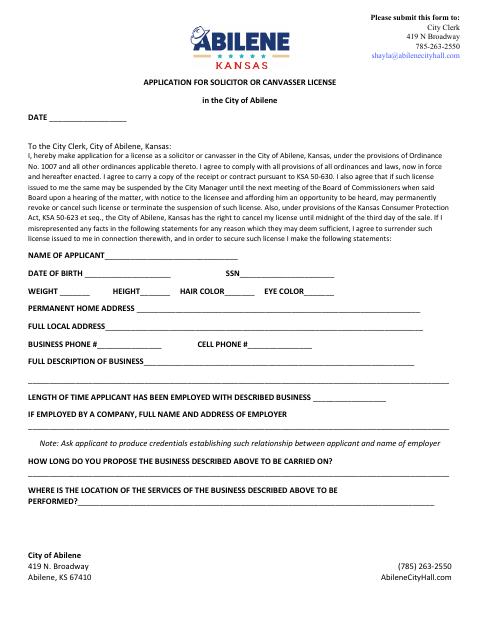
This application is for anyone seeking a City of Abilene license to work as a solicitor or canvasser and must be submitted to the City Clerk.
- licensed online notary
- ~15 min average
- Notarized PDF emailed
What you’ll need
- Government-issued photo ID
- Webcam-enabled device (laptop or phone)
- This form, ready to upload as a PDF
What this form is
The form collects applicant, business, sales, and background information, along with Dickinson County character references or other supporting evidence. Applicants also indicate whether they will provide a recent photograph or submit to fingerprinting. The form requires the applicant to swear to the application before a notary and includes a City Clerk signature line; submit the completed application to the City Clerk.
Who needs it
Anyone applying to solicit or canvass in the City of Abilene should complete this application and provide the requested supporting information.
Why it needs a notary
The form has a “subscribed and swore to before me” jurat; the applicant signs and swears to the application before a commissioned online notary.
How to get this notarized
- 1
Download the Application
Get the Solicitor or Canvasser License Application from the City of Abilene.
- 2
Complete the Application
Fill in the requested personal, business, sales, and background information and prepare references or other supporting evidence.
- 3
Book an Online Notary
Arrange a remote notarization for the application’s sworn signature.
- 4
Sign on Video
Sign and swear to the application before a commissioned online notary during your online session.
- 5
Submit to the City
Send the notarized application and supporting materials to the Abilene City Clerk as directed on the form.
Preview the form
The blank PDF straight from Abilene. Look it over, then upload your filled copy to start the notary session.

You’ll need ID and a webcam.
A licensed online notary will join you on video, verify your government-issued ID, witness your signature, and apply their seal. You’ll receive the notarized PDF by email when the session ends.
Frequently asked questions
- How do I complete the sworn signature on this application?
- Complete the application, then sign and swear to it before a commissioned online notary. Submit the notarized form and requested supporting materials to the Abilene City Clerk.
- Do I need to provide references with my application?
- The form asks for names and addresses of at least two Dickinson County property owners who will certify your character and business responsibility, or available evidence in their place.
- Can I sign this form with an online notary?
- Kansas authorizes remote online notarization by its notaries, and recognizes notarial acts performed by authorized officers of another state. Confirm with the city if unsure whether it will accept a remotely notarized form.
- Where do I submit the completed application?
- The form directs applicants to submit it to the City Clerk at 419 N. Broadway, Abilene, KS 67410. It also lists the City Clerk’s email and phone number.