
Mission, KS · Johnson County
Homeowner Installation Notarized Statement
This notarized statement identifies a property owner who will occupy the site and act as their own general contractor or perform listed installations in Mission.
- licensed online notary
- ~15 min average
- Notarized PDF emailed
What you’ll need
- Government-issued photo ID
- Webcam-enabled device (laptop or phone)
- This form, ready to upload as a PDF
What this form is
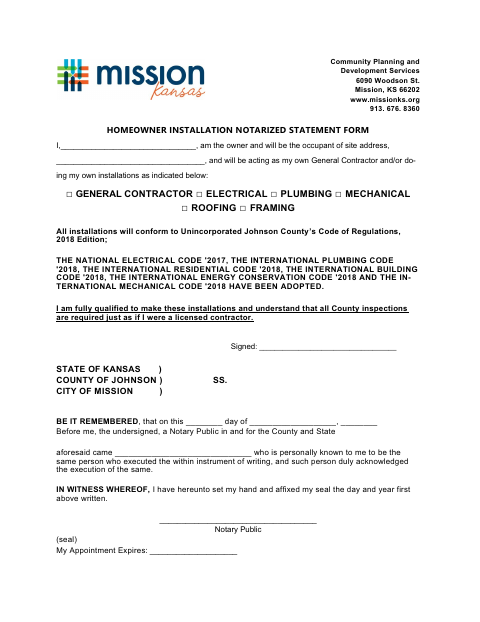
The form records the owner's name, site address, and the work they will perform, including general contracting, electrical, plumbing, mechanical, roofing, or framing. The owner also states that they are qualified, will follow the listed codes, and understand that inspections are required. Use it when documenting those responsibilities for the City of Mission; the form does not specify a permit type or submission deadline.
Who needs it
A property owner who will occupy the listed site and act as their own general contractor or perform one or more listed installations needs this statement.
Why it needs a notary
The form carries an acknowledgment block stating the signer appeared before the notary and acknowledged executing the statement; the homeowner signs before the notary.
How to get this notarized
- 1
Download the Form
Get the Homeowner Installation Notarized Statement from the City of Mission.
- 2
Fill In the Form
Enter your name and site address, then mark the work you will perform.
- 3
Book an Online Notary
Arrange an appointment with a commissioned online notary and ask the city about acceptance if unsure.
- 4
Sign on Video
Sign the statement during the online notarization so the notary can complete the acknowledgment.
- 5
Submit to the City
Send the completed statement to the City of Mission as directed.
Preview the form
The blank PDF straight from Mission. Look it over, then upload your filled copy to start the notary session.

You’ll need ID and a webcam.
A licensed online notary will join you on video, verify your government-issued ID, witness your signature, and apply their seal. You’ll receive the notarized PDF by email when the session ends.
Frequently asked questions
- How do I complete the homeowner installation statement?
- Enter your name and site address, mark the work you will perform, and review the statements about qualifications, codes, and inspections. Sign before a notary, then submit the completed form to the City of Mission.
- Do I need to sign this form in front of a notary?
- Yes. The form includes a notary acknowledgment block and calls for the homeowner's signature to be acknowledged before a notary.
- Can I use an online notary for this form?
- Kansas law authorizes remote notarization by a commissioned online notary under K.S.A. 53-5a15. Ask the City of Mission whether it will accept a remotely notarized version before submitting.
- What work can I identify on the form?
- The form lists general contractor, electrical, plumbing, mechanical, roofing, and framing work. It also states that required inspections apply as if the owner were a licensed contractor.