
Shelbyville, KY · Shelby County
Alcohol Beverage Control Application
This application requests a permanent or temporary alcohol beverage license within Shelbyville city limits and is completed by the business applicant with information about the business and its interested persons.
- licensed online notary
- ~15 min average
- Notarized PDF emailed
What you’ll need
- Government-issued photo ID
- Webcam-enabled device (laptop or phone)
- This form, ready to upload as a PDF
What this form is
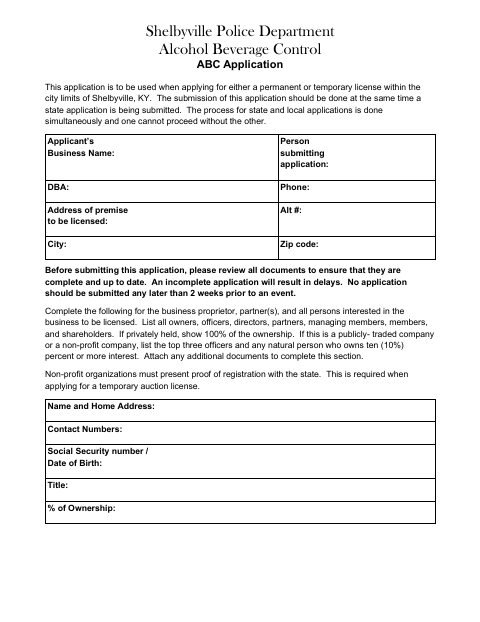
The Shelbyville Police Department Alcohol Beverage Control application is for businesses seeking a permanent or temporary license within city limits. The applicant provides business details, ownership information, license type, and sworn statements, then submits the local application alongside the state application. The form asks applicants to complete all required paperwork and includes a checklist of supporting documents, such as a state application copy, background checks, and identification. Temporary event applications should be submitted at least two weeks before the event.
Who needs it
A business applicant seeking a permanent or temporary alcohol beverage license for premises within Shelbyville city limits needs this application.
Why it needs a notary
The form offers a jurat or acknowledgment: the applicant named in the certificate signs before the notary, who completes the applicable block and commission expiration.
How to get this notarized
- 1
Download The Application
Download the Shelbyville Police Department Alcohol Beverage Control application.
- 2
Complete The Form
Provide business and ownership details, select the license type, and gather the applicable checklist documents.
- 3
Book An Online Notary
Arrange a remote online notarization for the application’s sworn statement or acknowledgment.
- 4
Sign On Video
Sign the application in front of the notary during your online session.
- 5
Submit To The City
Submit the completed local application and required documents alongside the state application.
Preview the form
The blank PDF straight from Shelbyville. Look it over, then upload your filled copy to start the notary session.

You’ll need ID and a webcam.
A licensed online notary will join you on video, verify your government-issued ID, witness your signature, and apply their seal. You’ll receive the notarized PDF by email when the session ends.
Frequently asked questions
- How do I complete the Shelbyville alcohol license application?
- Fill in the business, ownership, and license details, gather the listed supporting documents, and sign the sworn statement before a notary. Submit the local application alongside the state application.
- Do I need to sign this application in front of a notary?
- Yes. The application includes a notarial certificate for the applicant’s sworn statement or acknowledgment. Sign before the notary so they can complete the applicable certificate.
- Can I use a commissioned online notary?
- Kentucky authorizes online notarization by a commissioned online notary, and recognizes notarial acts performed by authorized officers of other states. Confirm that the receiving office accepts the completed notarization.
- Which supporting documents should I include?
- The checklist names a completed state application, applicable background checks, newspaper advertisement, lease if applicable, articles of organization, city business license, event flyer if applicable, and valid government-issued ID. Confirm with the city or county clerk if unsure.