
Gonzales, LA · Ascension Parish
Temporary Cut-In Electrical Affidavit
This notarized affidavit accompanies a request for temporary electrical service before a building final, and is completed by the customer or company accepting responsibility for the early cut-in.
- licensed online notary
- ~15 min average
- Notarized PDF emailed
What you’ll need
- Government-issued photo ID
- Webcam-enabled device (laptop or phone)
- This form, ready to upload as a PDF
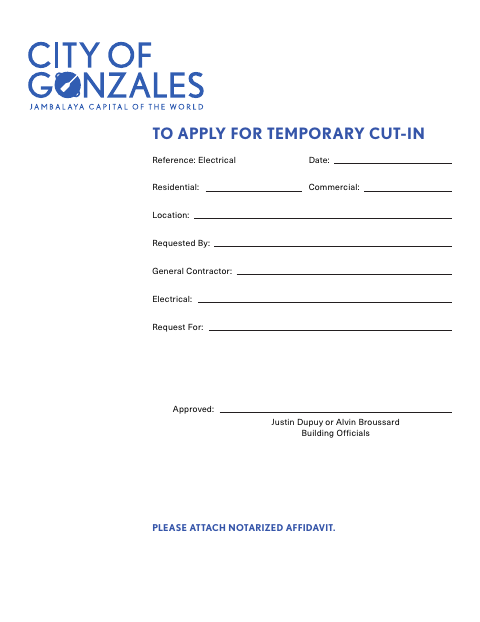
What this form is
The form asks the applicant to accept responsibility for accidents that may occur when electricity is turned on before the City of Gonzales issues a building final. It also states that electrical panels must remain locked unless an electrician is working on them, and that only electricians may have keys. The city’s instructions require a notarized affidavit with an application for a temporary cut-in; occupancy is not permitted until building officials issue the final.
Who needs it
A customer or company requesting a temporary electrical cut-in before the building final must provide the notarized affidavit described on the form.
Why it needs a notary
The form identifies a notarized affidavit and provides customer-signature, notary-signature, and seal fields; the customer signs before the notary.
How to get this notarized
- 1
Download The Form
Get the Temporary Cut-In Electrical form from the City of Gonzales.
- 2
Fill In The Request
Complete the applicable request, location, and company details shown on the form.
- 3
Book An Online Notary
Schedule a session with a commissioned online notary to notarize the affidavit.
- 4
Sign On Video
Sign the affidavit during your online notarization session and complete the notary process.
- 5
Submit To The City
Attach the notarized affidavit to your temporary cut-in application for Gonzales building officials.
Preview the form
The blank PDF straight from Gonzales. Look it over, then upload your filled copy to start the notary session.

You’ll need ID and a webcam.
A licensed online notary will join you on video, verify your government-issued ID, witness your signature, and apply their seal. You’ll receive the notarized PDF by email when the session ends.
Frequently asked questions
- How do I submit the temporary cut-in affidavit?
- Complete the form, sign the affidavit before a notary, and attach it to your temporary cut-in application. The form is addressed to Gonzales building officials.
- Do I need a notary for this form?
- Yes. The form says to attach a notarized affidavit and provides signature and notary-seal fields.
- Can I use a commissioned online notary?
- Louisiana recognizes qualifying out-of-state notarial acts under La. R.S. 35:5. Confirm with the parish or municipality if unsure whether Gonzales accepts remote notarization for this form.