
Monroe, LA · Ouachita Parish
Tax Power of Attorney
This form lets a taxpayer appoint a representative to handle specified Monroe tax matters, and the taxpayer or an authorized signer files it with the taxing authority.
- licensed online notary
- ~15 min average
- Notarized PDF emailed
What you’ll need
- Government-issued photo ID
- Webcam-enabled device (laptop or phone)
- This form, ready to upload as a PDF
What this form is
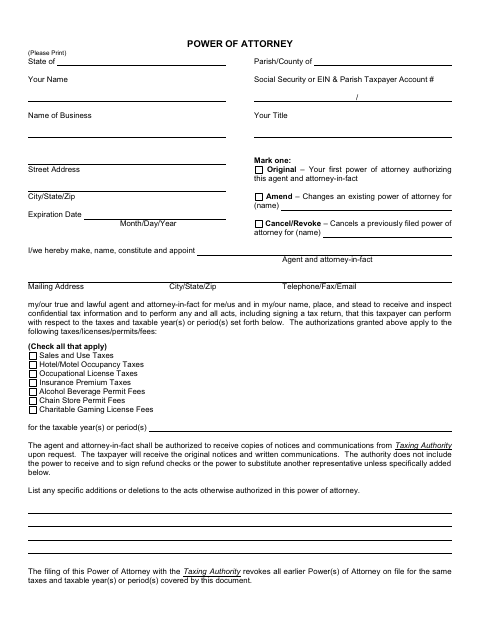
The form appoints an agent to inspect confidential tax information and perform listed acts for specified taxes, licenses, permits, fees, and tax periods. Choose whether the filing is an original appointment, an amendment, or a cancellation, and identify the representative’s authority. Filing it revokes earlier powers of attorney covering the same taxes and periods. Monroe taxpayers use it to authorize representation before the city’s taxing authority.
Who needs it
A taxpayer, business, or authorized signer who wants to appoint, amend, or cancel a representative’s authority for specified Monroe tax matters needs this form.
Why it needs a notary
The form carries a sworn-and-subscribed jurat stating it is signed before the notary and two witnesses; the taxpayer or authorized representative signs.
How to get this notarized
- 1
Download the Form
Get the Monroe tax power of attorney form and review its instructions and signature requirements.
- 2
Fill In the Details
Enter the taxpayer and representative information, select original, amend, or cancel, and specify taxes and periods.
- 3
Book an Online Notary
Arrange a commissioned online notary and confirm how the two required witnesses will participate and whether the taxing authority accepts online notarization.
- 4
Sign on Video
Follow the notary’s instructions and sign with the required witnesses present, as indicated by the form.
- 5
Submit to the City
Send the completed, notarized form to the Monroe taxing authority using its accepted filing method.
Preview the form
The blank PDF straight from Monroe. Look it over, then upload your filled copy to start the notary session.

You’ll need ID and a webcam.
A licensed online notary will join you on video, verify your government-issued ID, witness your signature, and apply their seal. You’ll receive the notarized PDF by email when the session ends.
Frequently asked questions
- How do I file this tax power of attorney?
- Complete the taxpayer, representative, tax type, and tax period sections, then sign as the form directs before a notary and two witnesses. Submit it to the taxing authority.
- Do I need two witnesses when signing?
- Yes. The form says the signing takes place before the notary in the presence of two witnesses, and it provides signature lines for both witnesses.
- Can I use a commissioned online notary for this form?
- Louisiana authorizes remote online notarization under La. R.S. 35:621 et seq., and La. R.S. 35:5 addresses acts by duly commissioned notaries of other states. Because this form also requires two witnesses, confirm acceptance with the taxing authority before signing online.
- Which tax matters can I authorize my agent to handle?
- The form lists sales and use, hotel and motel occupancy, occupational license, and insurance premium taxes, plus alcohol beverage permits, chain store permits, and charitable gaming license fees.
- Where should I check whether the city will accept my completed form?
- Ask the Monroe taxing authority about filing and notarization requirements; confirm with the parish or municipality if unsure.