
Abbeville, LA · Vermilion Parish
Annual Chain Store Tax Report
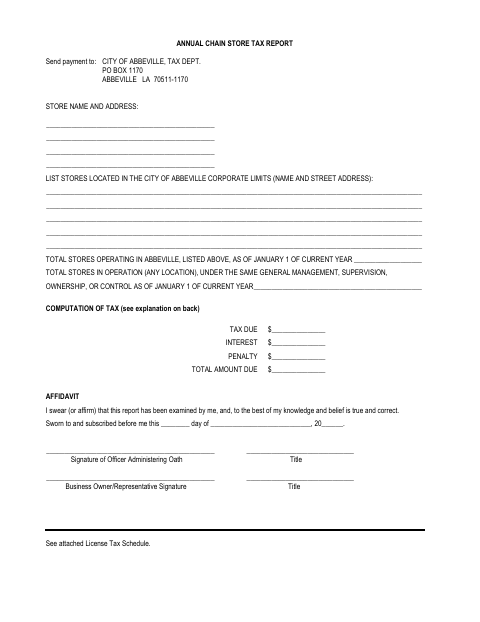
This annual report lists a chain’s Abbeville stores, calculates the city license tax, and is filed by a business owner or representative with the city’s tax department.
- licensed online notary
- ~15 min average
- Notarized PDF emailed
What you’ll need
- Government-issued photo ID
- Webcam-enabled device (laptop or phone)
- This form, ready to upload as a PDF
What this form is
The report identifies stores within Abbeville’s corporate limits and the total number operated under the same management, ownership, or control. The business uses the attached schedule to calculate the license tax, interest, and penalties, then sends the completed report and payment to the City of Abbeville’s Department of Revenue. The form states that the report and tax payment are due before March 1 each year.
Who needs it
A business owner or representative files this report when the business operates chain stores within Abbeville’s corporate limits and must report the applicable city license tax.
How to get this notarized
- 1
Download The Report
Get the Annual Chain Store Tax Report and its attached license tax schedule.
- 2
Fill In Store And Tax Details
List Abbeville stores, report the chain-wide store count, and calculate the tax, interest, and penalty amounts.
- 3
Book An Online Notary
Arrange a remote session with a commissioned online notary for the affidavit.
- 4
Sign On Video
The business owner or representative signs the affidavit during the online notary session.
- 5
Submit To The City
Send the completed report and payment to the City of Abbeville Department of Revenue before the stated deadline.
Preview the form
The blank PDF straight from Abbeville. Look it over, then upload your filled copy to start the notary session.

You’ll need ID and a webcam.
A licensed online notary will join you on video, verify your government-issued ID, witness your signature, and apply their seal. You’ll receive the notarized PDF by email when the session ends.
Frequently asked questions
- How do I complete the chain store tax report?
- List Abbeville locations and all stores under the same management, ownership, or control. Use the attached schedule to calculate the tax, complete the affidavit, sign before a commissioned online notary, and send the report and payment to the city.
- Do I need to sign the report in front of a notary?
- Yes. The affidavit says it must be sworn to and subscribed before an officer administering the oath. The business owner or representative signs the affidavit before the notary.
- Can I notarize this report online?
- Louisiana authorizes remote online notarization for its own notaries, and an act by a duly commissioned notary from another state has the same force and effect under Louisiana law. Confirm that the city accepts remote notarization for this report.
- When is the report and payment due?
- The form says the report must be filed and the tax paid before March 1 each year. It also states that interest and penalties may apply to late returns and payments.
- Where do I send the completed report and payment?
- The form directs remittance to the City of Abbeville, Department of Revenue, at PO Box 1170, Abbeville, LA 70511-1170. Confirm with the parish or municipality if unsure.
Annual Chain Store Tax Report in other Louisiana cities
Each city publishes its own version of this form. Pick the city where you’re filing.