
Brusly, LA · West Baton Rouge Parish
Resident Noncontractor Affidavit
This sworn affidavit is for a Louisiana resident applying for a Brusly building permit who will directly supervise construction and is not acting as a contractor.
- licensed online notary
- ~15 min average
- Notarized PDF emailed
What you’ll need
- Government-issued photo ID
- Webcam-enabled device (laptop or phone)
- This form, ready to upload as a PDF
What this form is
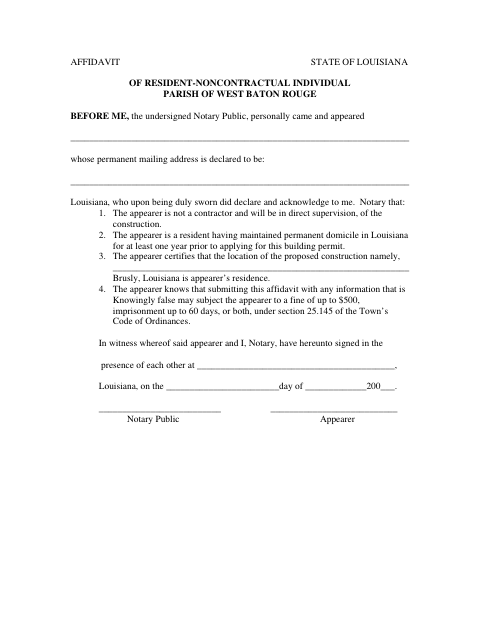
The affidavit identifies the appearer, their permanent mailing address, and the proposed construction location, which they certify is their residence. It states that the appearer has maintained a Louisiana domicile for at least one year and will directly supervise construction. The form is for use with a Brusly building-permit application; it also warns that knowingly false information may bring penalties under section 25.145 of the Town’s Code of Ordinances.
Who needs it
A resident applying for a Brusly building permit who is not a contractor and will directly supervise construction may need to complete this affidavit.
Why it needs a notary
The form contains a sworn jurat beginning “BEFORE ME”; the appearer signs before the notary after being duly sworn.
How to get this notarized
- 1
Download the Affidavit
Download the Resident Noncontractor Affidavit for a Brusly building-permit application.
- 2
Fill In Your Information
Enter your name, permanent mailing address, proposed construction location, and other requested details.
- 3
Book an Online Notary
Schedule a remote session with a commissioned online notary to swear to the affidavit.
- 4
Sign on Video
Sign the affidavit during the video session when instructed by the notary.
- 5
Submit to the Town
Submit the notarized affidavit with your building-permit application to the Town of Brusly.
Preview the form
The blank PDF straight from Brusly. Look it over, then upload your filled copy to start the notary session.

You’ll need ID and a webcam.
A licensed online notary will join you on video, verify your government-issued ID, witness your signature, and apply their seal. You’ll receive the notarized PDF by email when the session ends.
Frequently asked questions
- How do I complete the Brusly resident noncontractor affidavit?
- Fill in your name, permanent mailing address, construction location, and signing details. Take the completed form to a commissioned online notary, sign during the video session, and submit it with your building-permit application.
- Do I need to swear to the statements before signing?
- Yes. The form says the appearer is duly sworn and includes a jurat. Sign in front of the commissioned online notary during your notarization session.
- Can I notarize this affidavit online?
- Louisiana authorizes remote online notarization under La. R.S. 35:621 et seq. A notarial act performed by a duly commissioned notary of another state has the same force and effect under La. R.S. 35:5.
- Where do I submit the affidavit?
- The form is for a Brusly building-permit application. Submit it with your application to the Town of Brusly; confirm with the parish or municipality if unsure.