
Bar Harbor, ME · Hancock County
Application for Property Tax Abatement Because of Poverty and/or Disability
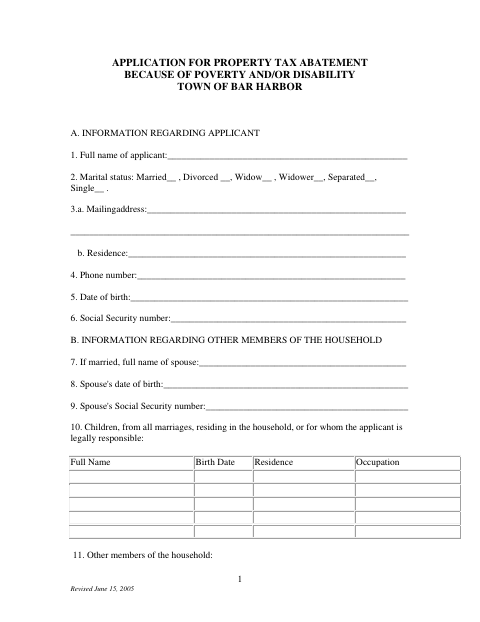
This application lets Bar Harbor property owners request a tax abatement because of poverty or disability and provide household, property, income, asset, expense, and supporting information.
- licensed online notary
- ~15 min average
- Notarized PDF emailed
What you’ll need
- Government-issued photo ID
- Webcam-enabled device (laptop or phone)
- This form, ready to upload as a PDF
What this form is
Use this application to ask the Town of Bar Harbor to reduce property taxes for a year when poverty or disability affects your ability to pay. It collects detailed information about the applicant’s household, property, finances, and reasons for the request; a separate supplementary questionnaire is required for each year requested, along with specified tax-return and income documents. The Town Council reviews the application and makes a decision.
Who needs it
A Bar Harbor property owner seeking a property tax abatement because of poverty or disability should complete the application and provide the requested supporting documents.
Why it needs a notary
The form has a jurat stating it was subscribed and sworn before a notary; the applicant and spouse sign the application before the notary.
How to get this notarized
- 1
Download The Application
Get the property tax abatement application and review its instructions and requested supporting documents.
- 2
Complete The Application
Fill in the applicant, household, property, income, assets, expenses, and requested-year information; prepare a separate questionnaire for each year.
- 3
Book An Online Notary
Arrange a session with a commissioned online notary and have the applicant and spouse available to sign.
- 4
Sign On Video
Sign during the online notarization session and complete the form’s subscribed-and-sworn notary block.
- 5
Submit To The Town
Send the notarized application and required supporting documents to the Town of Bar Harbor using its current submission instructions.
Preview the form
The blank PDF straight from Bar Harbor. Look it over, then upload your filled copy to start the notary session.

You’ll need ID and a webcam.
A licensed online notary will join you on video, verify your government-issued ID, witness your signature, and apply their seal. You’ll receive the notarized PDF by email when the session ends.
Frequently asked questions
- How do I apply for a Bar Harbor poverty or disability tax abatement?
- Complete the application, provide a separate supplementary questionnaire for each requested year, attach the specified tax returns and W-2 forms, and submit it to the Town as directed.
- Do I need to sign this application before a notary?
- Yes. The form includes a statement that it was subscribed and sworn before a notary. The applicant and spouse signature lines appear on the application.
- Can I sign the application with a commissioned online notary?
- Maine law permits its notaries to perform remote notarizations under 4 M.R.S. §1915. Confirm that the Town will accept your remotely notarized form before signing.
- Where do I submit the completed application?
- The form says applicants may apply in writing to the Welfare Director. Confirm current submission instructions with the Town of Bar Harbor before sending your application.
- What if I am unsure where to submit or record a form?
- For this municipal application, check with the Town of Bar Harbor. For a document that must be recorded, confirm with the town, city, or county registry of deeds if unsure.