
Elkton, MD · Cecil County
Declaration of Restrictions (Long-Term Protective Agreement)
This declaration sets restrictions for property in a development, and property owners file it to identify protected areas and establish land-use covenants, including forest conservation limits.
- licensed online notary
- ~15 min average
- Notarized PDF emailed
What you’ll need
- Government-issued photo ID
- Webcam-enabled device (laptop or phone)
- This form, ready to upload as a PDF
What this form is
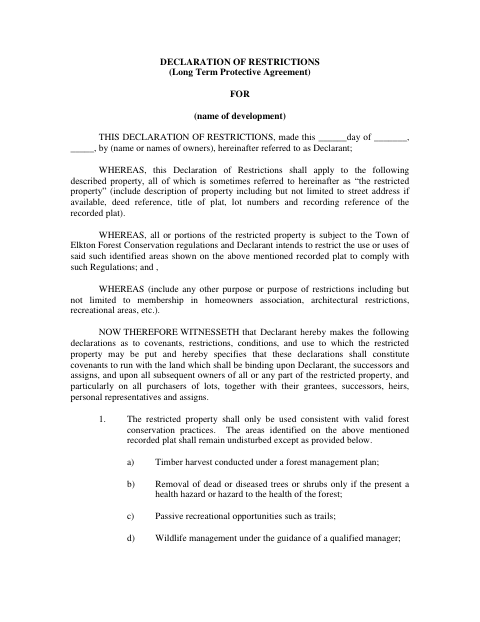
The declaration identifies the restricted property and states the purposes and covenants that apply to it. The form describes forest conservation restrictions, including keeping mapped areas undisturbed except for listed activities such as approved timber harvest, hazard removal, trails, and wildlife management. It is intended for owners whose property is subject to the Town of Elkton Forest Conservation regulations. The form directs completed documents to the Town of Elkton Planning Department.
Who needs it
Property owners, identified as Declarants, use this form to describe restricted property and establish covenants that bind successors and later owners.
Why it needs a notary
The form includes a notarial certificate with an oath; each owner signing as Declarant must personally appear before the notary and swear the statements are true to their knowledge.
How to get this notarized
- 1
Download the Declaration
Download the two-page Declaration of Restrictions from the Town of Elkton.
- 2
Complete the Property Details
Enter the development, owners, property description, restrictions, and execution date requested by the form.
- 3
Book an Online Notary
Arrange a session with a commissioned online notary and check that the Town accepts remote notarization.
- 4
Sign on Video
Appear before the notary, sign the declaration, and complete the oath in the form’s notarial certificate.
- 5
Submit to the Town
Return the completed document to the Town of Elkton Planning Department at the mailing address printed on the form.
Preview the form
The blank PDF straight from Elkton. Look it over, then upload your filled copy to start the notary session.

You’ll need ID and a webcam.
A licensed online notary will join you on video, verify your government-issued ID, witness your signature, and apply their seal. You’ll receive the notarized PDF by email when the session ends.
Frequently asked questions
- How do I submit the completed Declaration of Restrictions?
- The form says to return the executed document to the Town of Elkton Planning Department at P.O. Box 157, Elkton, MD 21922-0157.
- Do I need to sign the declaration before a notary?
- Yes. Its notarial certificate says the owner personally appeared, executed the instrument, and swore that its statements are true to the best of their knowledge, information, and belief.
- Can I sign this form with an online notary?
- Maryland’s remote-notarization framework is based on the Revised Uniform Law on Notarial Acts, codified in State Government Article, Title 18, and in effect since 2020. Confirm the Town accepts remote notarization before signing.
- What property details should the declaration include?
- The form asks for a property description, which may include the street address, deed reference, plat title, lot numbers, and the recorded plat reference. Confirm with the county, city, or town if unsure.