
Brunswick, MD · Frederick County
Ethics Complaint Form
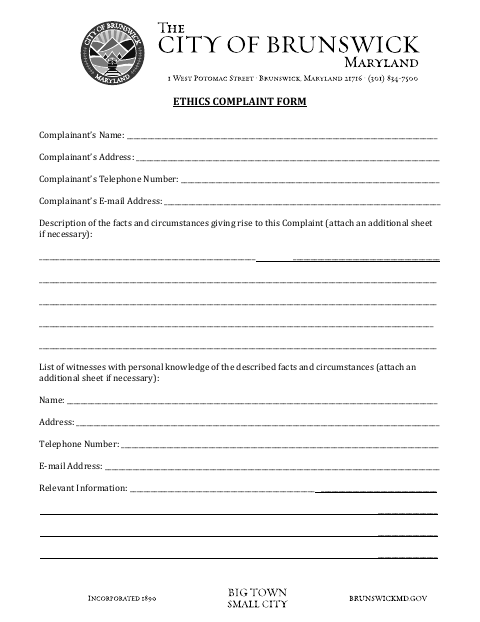
The Ethics Complaint Form lets a complainant describe alleged facts, identify witnesses, and provide contact details for submitting an ethics complaint to the City of Brunswick.
- licensed online notary
- ~15 min average
- Notarized PDF emailed
What you’ll need
- Government-issued photo ID
- Webcam-enabled device (laptop or phone)
- This form, ready to upload as a PDF
What this form is
Use this two-page form to provide your name and contact information, describe the facts and circumstances behind the complaint, and list witnesses with personal knowledge. The complainant affirms that the information is true and correct and signs before a notary, who completes the certification. Contact the City of Brunswick to confirm how and where to submit the completed form.
Who needs it
Anyone submitting an ethics complaint to the City of Brunswick can use the form to provide complaint details, witness information, and a sworn affirmation.
Why it needs a notary
The form contains an oath and jurat-style notarial certificate; the complainant personally appears, takes an oath, and affirms the complaint is true before the notary.
How to get this notarized
- 1
Download The Form
Get the Ethics Complaint Form from the City of Brunswick.
- 2
Fill In The Complaint
Add your contact details, describe the facts, and list witnesses and relevant information.
- 3
Book An Online Notary
Schedule a remote notarization with a commissioned online notary.
- 4
Sign On Video
Appear by video, take the oath, and affirm the complaint before signing as directed.
- 5
Submit To The City
Contact the City of Brunswick to confirm its submission method, then file the completed form.
Preview the form
The blank PDF straight from Brunswick. Look it over, then upload your filled copy to start the notary session.

You’ll need ID and a webcam.
A licensed online notary will join you on video, verify your government-issued ID, witness your signature, and apply their seal. You’ll receive the notarized PDF by email when the session ends.
Frequently asked questions
- How do I complete the Ethics Complaint Form?
- Enter your contact details, describe the facts, list witnesses and their relevant information, then sign and affirm the complaint before a notary.
- Do I need to sign the form in front of a notary?
- Yes. The form includes a notarial certificate stating that the complainant personally appeared, took an oath, and affirmed the complaint’s contents.
- Can I use an online notary for this form?
- Maryland's remote-notarization framework is based on the Revised Uniform Law on Notarial Acts, codified in State Government Article, Title 18, and in effect since 2020. A commissioned online notary can notarize remotely; confirm with the county, city, or town if unsure.
- Where do I submit the completed complaint?
- The form is titled Ethics Complaint Form, but it does not give submission instructions. Contact the City of Brunswick to confirm where and how to file it.
Other forms in Brunswick
Ethics Complaint Form in other Maryland cities
Each city publishes its own version of this form. Pick the city where you’re filing.