
Orleans, MA · Barnstable County
CORI Request and Authorization Form
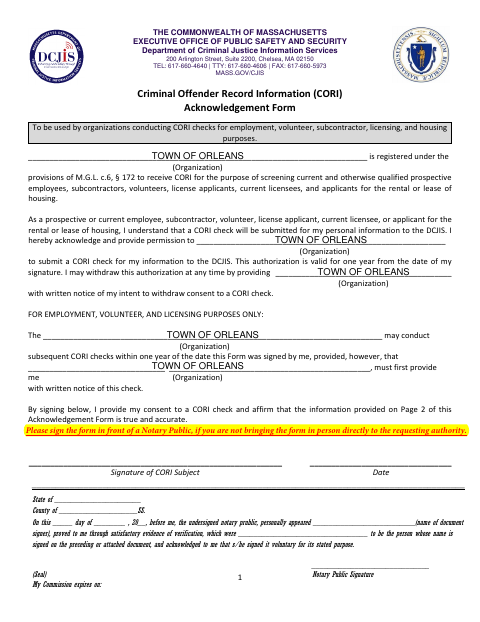
This two-page Criminal Offender Record Information (CORI) Acknowledgement Form authorizes an organization to request a CORI check for an employment, volunteer, subcontractor, licensing, or housing purpose.
- licensed online notary
- ~15 min average
- Notarized PDF emailed
What you’ll need
- Government-issued photo ID
- Webcam-enabled device (laptop or phone)
- This form, ready to upload as a PDF
What this form is
The form records the subject’s consent for an organization to submit their personal information to the Department of Criminal Justice Information Services for a CORI check. The authorization is valid for one year, and the form allows subsequent checks for employment, volunteer, and licensing purposes if the organization first provides written notice. The form says to sign before a notary if you are not bringing it in person directly to the requesting authority.
Who needs it
A person whose CORI is being requested for employment, volunteer, subcontractor, licensing, or housing screening completes the subject information and authorization.
Why it needs a notary
The form has an acknowledgment block; the CORI subject signs the authorization before the notary if not delivering it in person to the requesting authority.
How to get this notarized
- 1
Download the Form
Get the CORI Acknowledgement Form from the Town of Orleans document page.
- 2
Complete the Form
Enter the subject information on page 2 and review the authorization and consent on page 1.
- 3
Book an Online Notary
If you are not delivering the form in person to the requesting authority, book a commissioned online notary.
- 4
Sign on Video
Sign the authorization while connected to the notary by video so the notary can complete the acknowledgment.
- 5
Submit to the Requesting Authority
Send or deliver the completed form as directed by the organization requesting the CORI check.
Preview the form
The blank PDF straight from Orleans. Look it over, then upload your filled copy to start the notary session.

You’ll need ID and a webcam.
A licensed online notary will join you on video, verify your government-issued ID, witness your signature, and apply their seal. You’ll receive the notarized PDF by email when the session ends.
Frequently asked questions
- How do I complete the Orleans CORI authorization form?
- Complete the subject information on page 2 and sign the authorization on page 1. The form says to sign before a notary if you are not bringing it in person directly to the requesting authority.
- Do I need a notary for this CORI form?
- The form instructs you to sign in front of a notary if you are not bringing it in person directly to the requesting authority. Ask the requesting organization if you are unsure which option applies.
- Can I sign this form with an online notary?
- Massachusetts permanently authorized remote online notarization for its own notaries effective January 1, 2024, under G.L. c. 222, §§27–29. A commissioned online notary can notarize remotely; check with the requesting authority about its submission requirements.
- What information does the CORI form request?
- Page 2 requests identifying details, including name, date and place of birth, address, and the last six digits of a Social Security number, along with information used to verify identity.
- Who should I contact if I am unsure about submitting the form?
- Contact the requesting authority for its instructions; confirm with the city or town clerk if unsure.