
Windsor, MA · Berkshire County
Notice of Intention of Marriage
This four-page notice records information about two people planning to marry and is filed with the Massachusetts city or town clerk to begin the marriage-license process.
- licensed online notary
- ~15 min average
- Notarized PDF emailed
What you’ll need
- Government-issued photo ID
- Webcam-enabled device (laptop or phone)
- This form, ready to upload as a PDF
What this form is
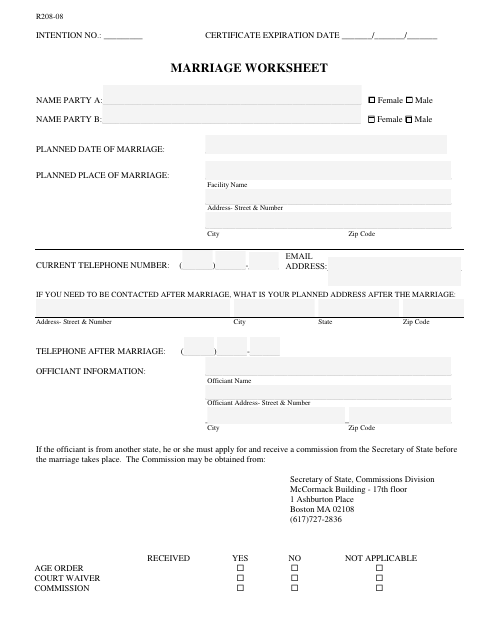
The notice collects both parties’ names, birth and residence details, prior-marriage information, and planned marriage details. The form is submitted to a Massachusetts clerk, registrar, or assistant clerk designated to administer oaths; the clerk reviews the information and supporting documents, including proof of age when required, before issuing a marriage certificate. The form says the certificate is valid for 60 days from the date the intention is filed.
Who needs it
Both people planning to marry in Massachusetts complete this notice and provide it to the clerk or registrar handling their marriage intention.
How to get this notarized
- 1
Download the Form
Get the Notice of Intention of Marriage and review its instructions and required information.
- 2
Fill In Both Parties’ Details
Complete the fields for both parties, including names, birth dates, residences, prior marriages, and planned marriage details.
- 3
Check Signing Requirements
Ask the Windsor town clerk whether the form must be sworn before the clerk or a designated assistant and whether remote signing is accepted.
- 4
Book an Online Notary if Accepted
Only if the town clerk confirms that a commissioned online notary is acceptable for this form, book an online session.
- 5
Sign as Directed
Sign and swear to the form before the official or service the town clerk has confirmed will be accepted.
- 6
Submit to the Town Clerk
Provide the completed notice and any required supporting documents to the Windsor town clerk.
Preview the form
The blank PDF straight from Windsor. Look it over, then upload your filled copy to start the notary session.

You’ll need ID and a webcam.
A licensed online notary will join you on video, verify your government-issued ID, witness your signature, and apply their seal. You’ll receive the notarized PDF by email when the session ends.
Frequently asked questions
- Who signs the notice of intention of marriage?
- Both parties complete and sign the notice. Its jurat specifies that they subscribe and swear before a registrar, clerk, or assistant clerk designated to administer oaths.
- Do I need a notary for this marriage intention form?
- The form names a registrar, clerk, or designated assistant clerk—not a notary—as the person before whom the parties swear. Confirm with the city or town clerk if unsure.
- How do I submit the completed notice?
- Complete the form and ask the Windsor town clerk which documents and signing arrangements are required. The form identifies the clerk or registrar as the recipient and refers to proof of age.
- Can I sign this notice with an online notary?
- Massachusetts permanently authorized remote online notarization for its own notaries effective January 1, 2024. However, this form specifies an oath before a registrar, clerk, or designated assistant clerk, so ask the Windsor town clerk whether remote signing is accepted before booking.