
Amherst, MA · Hampshire County
Business Certificate Amendment or Discontinuance
This form amends or discontinues a business certificate and is filed with the Amherst Town Clerk by business owners or others reporting a listed change.
- licensed online notary
- ~15 min average
- Notarized PDF emailed
What you’ll need
- Government-issued photo ID
- Webcam-enabled device (laptop or phone)
- This form, ready to upload as a PDF
What this form is
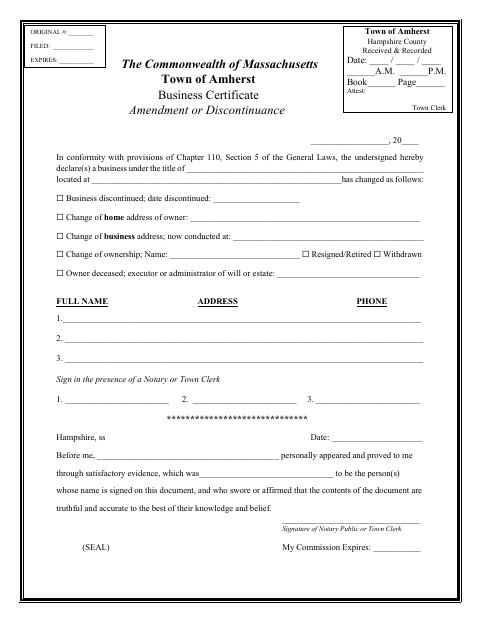
Use this form to report that a business has discontinued or to update information about its owner, address, ownership, or status. The form asks for the business title and location, details of the change, and the names, addresses, and phone numbers of the people signing. Signers must sign before a notary or Town Clerk, and the Town Clerk records the filing.
Who needs it
Business owners, or an executor or administrator when an owner has died, can use this form to report a listed change to an Amherst business certificate.
Why it needs a notary
The form has a jurat stating that signers appeared, were identified, and swore or affirmed the contents were truthful; each signer signs before the notary.
How to get this notarized
- 1
Download the Form
Get the Amherst Business Certificate Amendment or Discontinuance form from the Town's document page.
- 2
Complete the Form
Enter the business title and location, select the applicable change, and provide the requested signer information.
- 3
Book an Online Notary
Arrange an appointment with a commissioned online notary if you are using remote notarization.
- 4
Sign on Video
Appear by video and sign when instructed so the notary can complete the form's jurat.
- 5
Submit to the Town
Submit the completed form to the Amherst Town Clerk for recording.
Preview the form
The blank PDF straight from Amherst. Look it over, then upload your filled copy to start the notary session.

You’ll need ID and a webcam.
A licensed online notary will join you on video, verify your government-issued ID, witness your signature, and apply their seal. You’ll receive the notarized PDF by email when the session ends.
Frequently asked questions
- How do I amend or discontinue an Amherst business certificate?
- Complete the form with the business details and applicable change, sign before a notary or Town Clerk, then submit it to the Amherst Town Clerk.
- Do I need a notary for this form?
- The form directs signers to sign in the presence of a notary or Town Clerk. Its notary block requires the signer to swear or affirm that the contents are truthful and accurate to the best of their knowledge and belief.
- Can I sign this form with a commissioned online notary?
- Massachusetts permanently authorized remote online notarization for its own notaries effective January 1, 2024, under G.L. c. 222, §§27–29. Ask the Amherst Town Clerk whether the completed form can be submitted remotely.
- What if I am unsure which change to report?
- The form lists discontinuance, address changes, ownership changes, resignation or retirement, withdrawal, and an owner's death. Confirm with the city or town clerk if unsure.
Other forms in Amherst
Business Certificate Amendment or Discontinuance in other Hampshire County cities
Each city publishes its own version of this form. Pick the city where you’re filing.