
Hudson, MA · Middlesex County
Construction Control Form
This multi-part form documents construction control, inspections, contractor responsibilities, and project completion for applicants and design professionals submitting materials to Hudson’s Inspector of Buildings.
- licensed online notary
- ~15 min average
- Notarized PDF emailed
What you’ll need
- Government-issued photo ID
- Webcam-enabled device (laptop or phone)
- This form, ready to upload as a PDF
What this form is
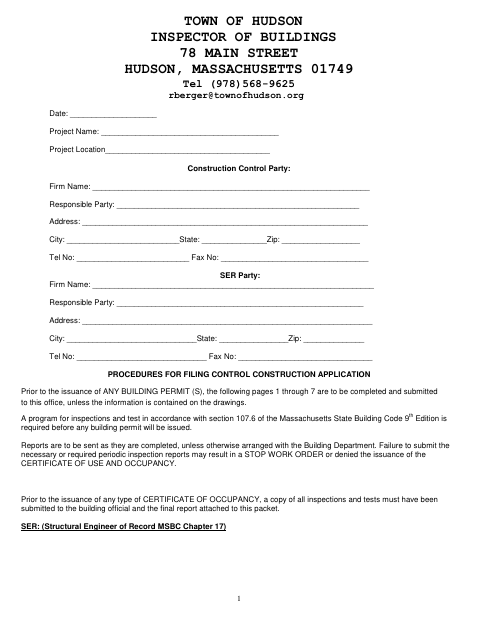
Hudson requires the construction control materials before issuing building permits for controlled construction, unless the required information is already on the drawings. The packet includes project and professional details, inspection and testing programs, progress checklists, contractor certifications, and completion documents; the instructions also describe reports required during construction and at occupancy. Separate Tier Two materials address approval to install fire protection systems.
Who needs it
Building permit applicants and the project’s registered design professionals and contractors use the applicable sections to document construction control and submit required information to Hudson’s Inspector of Buildings.
Why it needs a notary
The contractor certification has a “Notarized by” line; the contractor signs the completion certification, and a commissioned online notary completes the notarization line.
How to get this notarized
- 1
Download The Form
Download Hudson’s Construction Control Form and review its instructions to identify the sections and supporting materials needed for your project.
- 2
Fill In The Applicable Sections
Complete the required project, applicant, design professional, contractor, inspection, and certification information for your submission.
- 3
Book An Online Notary
Schedule a video appointment with a commissioned online notary for the contractor certification’s “Notarized by” line.
- 4
Sign On Video
Follow the notary’s instructions and sign the contractor certification during your online session.
- 5
Submit To The City
Submit the applicable completed pages, reports, and supporting materials to Hudson’s Inspector of Buildings as directed by the form.
Preview the form
The blank PDF straight from Hudson. Look it over, then upload your filled copy to start the notary session.

You’ll need ID and a webcam.
A licensed online notary will join you on video, verify your government-issued ID, witness your signature, and apply their seal. You’ll receive the notarized PDF by email when the session ends.
Frequently asked questions
- How do I get the contractor certification notarized?
- Complete the applicable contractor certification and book a video session with a commissioned online notary. Sign as directed during the session so the notary can complete the “Notarized by” line.
- Do I need to submit the entire 12-page form?
- The instructions say pages 1 through 7 are to be completed and submitted before a building permit unless the information is contained on the drawings. Ask the city or town clerk if unsure.
- Can I sign this form with an online notary?
- Massachusetts permanently authorized remote online notarization for its own notaries effective January 1, 2024. A commissioned online notary can notarize the contractor certification by video; check submission requirements with Hudson’s Inspector of Buildings.
- When are construction control reports required?
- The form says inspection and test reports are to be sent as completed unless otherwise arranged with the Building Department. It also calls for required inspection and test materials and a final report before a certificate of occupancy.